The Best Sales Navigator Scrapers in 2026 (Compared Honestly)
Tools that export LinkedIn Sales Navigator searches to CSV, compared on price, data fields, searches over 2,500, emails and what you can do with the list afterwards.
By Mehran Iqbal, Co-Founder & CEO of GrabProspect4 min read
Short answer
Pick a Sales Navigator scraper by what happens after the export. For lists with verified emails to use elsewhere, Evaboot. To scrape and then reach the same people on LinkedIn, including searches over 2,500 results, GrabProspect. For automation across many websites, PhantomBuster. For the lowest price with a desktop app, Linked Helper.
A Sales Navigator scraper reads your search results and turns them into a spreadsheet. They all read the same pages, so the differences are in price model, data quality, searches over 2,500, emails, and what you can do next. Prices below were checked in October 2026.
Quick comparison
| Tool | Price model | From | Over 2,500 per search | Emails | Then reach them on LinkedIn |
|---|---|---|---|---|---|
| GrabProspect | Per LinkedIn account, scraping included | $29 a month | Yes, query splitter | No | Yes: invites, follow-ups, inbox |
| Evaboot | Credits per lead | $29 for 400 credits | Manual splitting | Yes, verified | No |
| PhantomBuster | Execution hours | $69 for 20 hours | Manual splitting | Credits | Separate automations |
| Linked Helper | Per account, desktop | $15 a month | Manual splitting | Email finder | Yes |
| Waalaxy | Per user | €19 a month | No | Business plan | Yes |
| Kanbox | Per account | Local pricing | No | Email finder | Yes |
"Manual splitting" means you can scrape several smaller searches yourself; see how to export more than 2,500 leads.
What to look for
1. How you pay
- Per lead (credits): predictable for small lists, expensive for large ones. 10,000 leads on credits costs far more than on a flat plan.
- Per account (flat): best when you scrape a lot every month.
- Machine time: cheap for small jobs; big or slow searches eat hours.
2. Data fields
Every scraper gets name, title, company and location. Check for the useful extras: time in role and in company, connection degree, Premium status, the public /in/ profile link (not just the Sales Navigator link), and the company id and page. For company searches: industry, size band, employee count and description.
3. Searches over 2,500
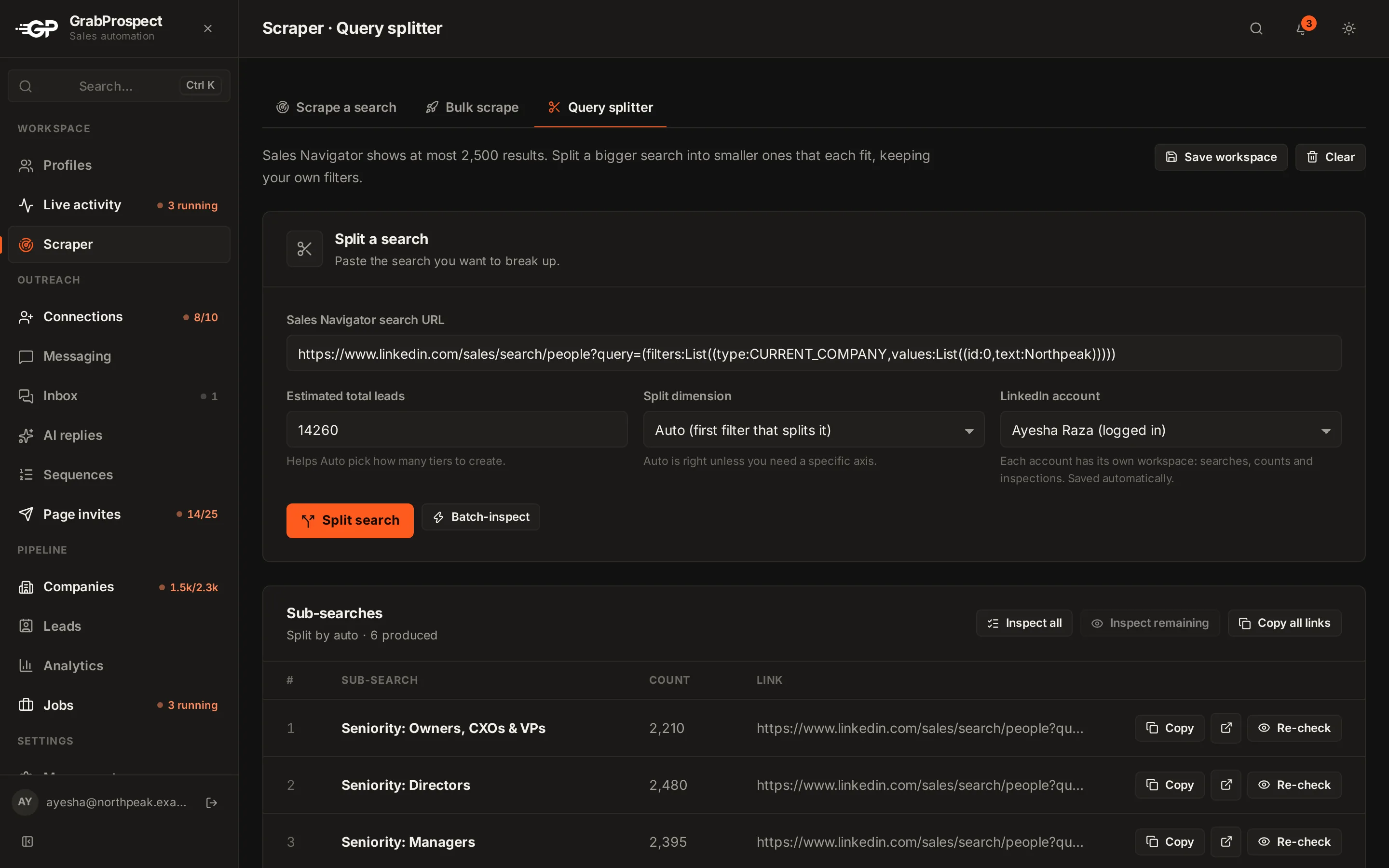
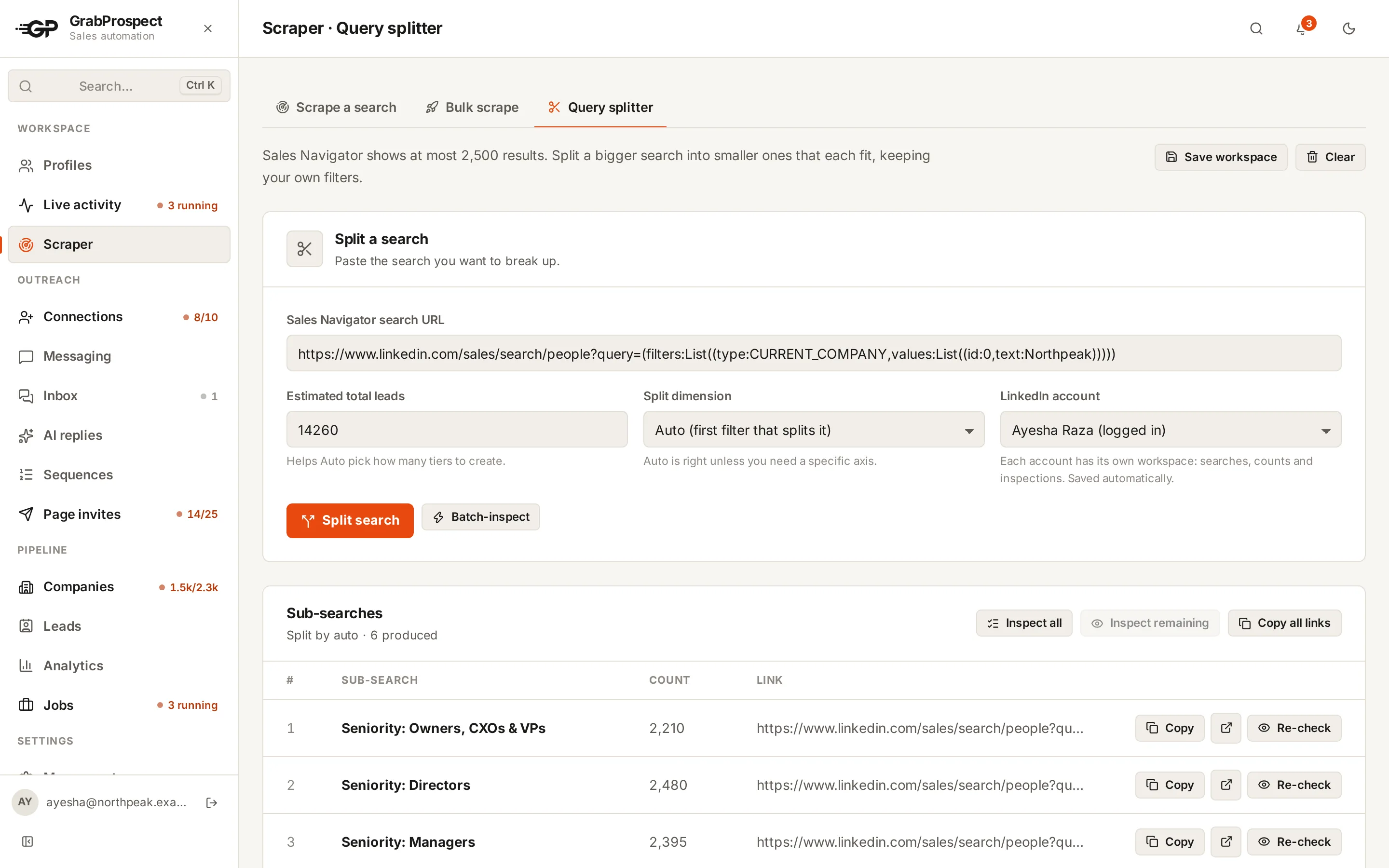
Sales Navigator caps every search at 2,500 results. Large markets need splitting into smaller searches. Doing that by hand is slow; a splitter that checks each piece's live count saves hours.
4. Reliability
Sales Navigator is sometimes slow. A good scraper waits and retries a slow page instead of skipping it, tells you what it's doing, and lets you resume a failed scrape from where it stopped.
5. What happens next
A CSV is a means to an end. If the end is LinkedIn outreach, a scraper built into an outreach tool saves exporting, cleaning and re-importing.
The tools in detail
GrabProspect
- What it is: LinkedIn outreach with a built-in Sales Navigator scraper.
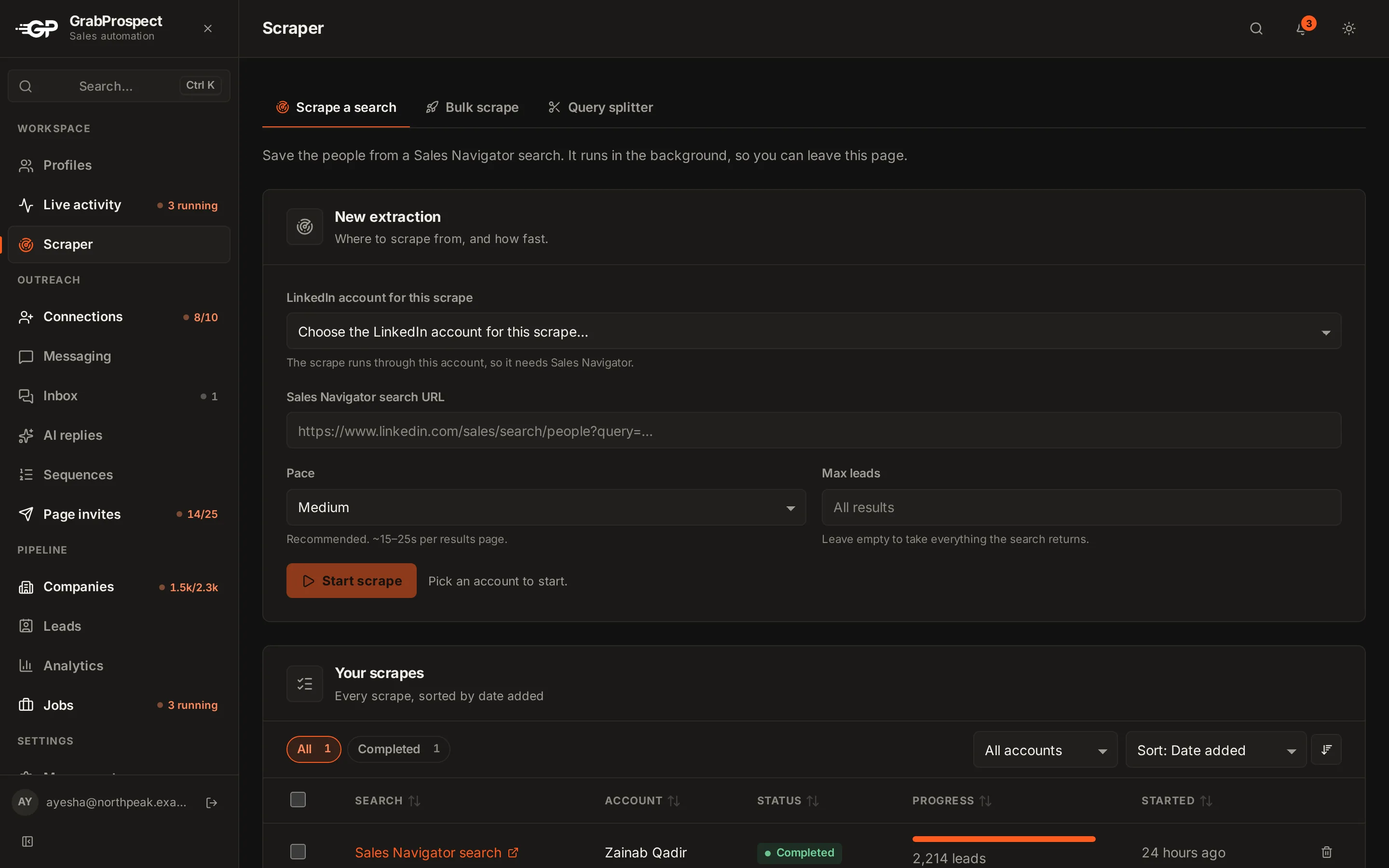
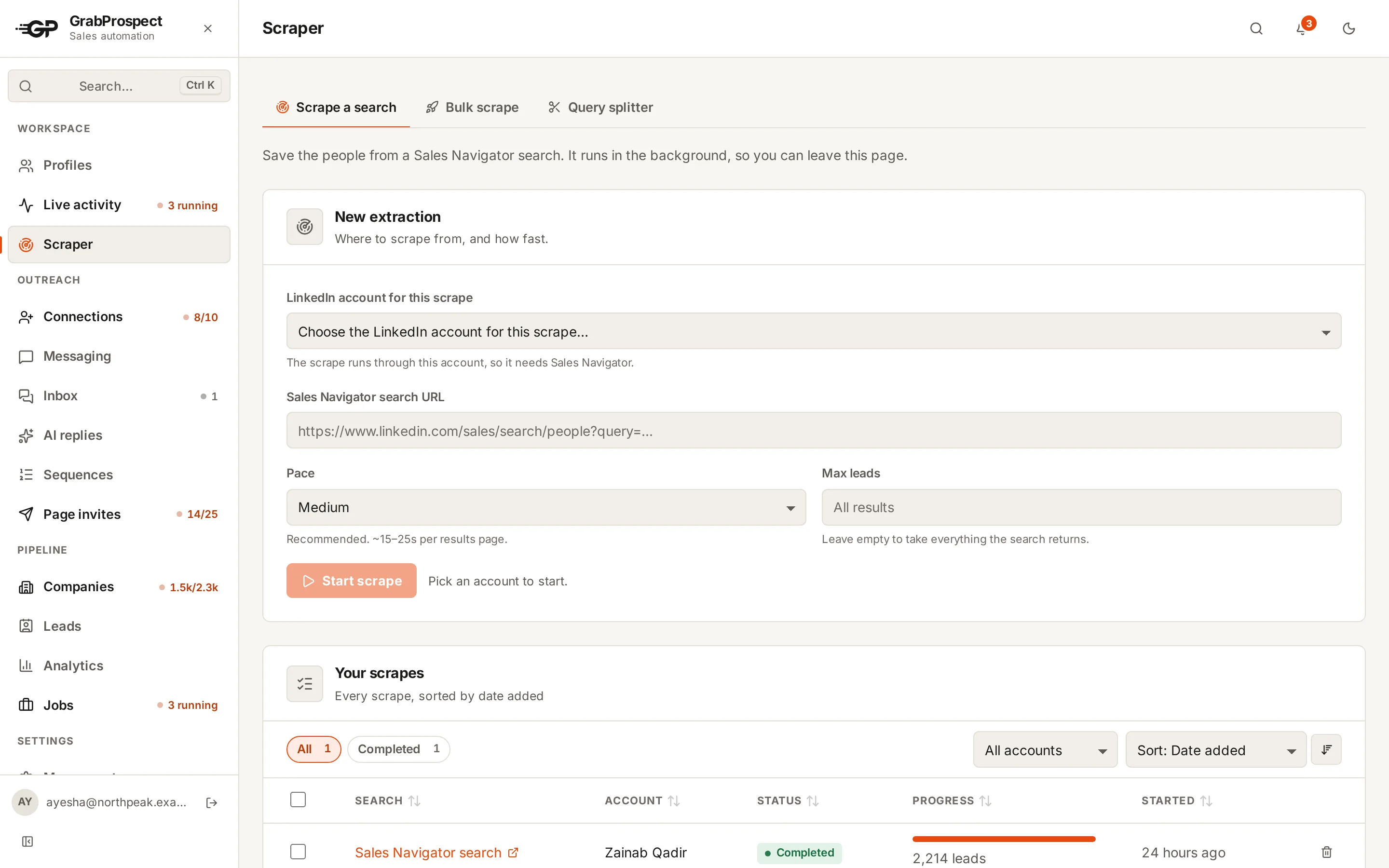
- Scraping: lead and company searches (detected automatically), long
#query=links, 16 lead columns including time in role, connection degree and Premium status. Each page is tried 3 times with longer waits; a failed scrape can be retried from the page where it stopped. - Over 2,500: the query splitter splits big searches and reports coverage.
- Bulk: add many searches at once, each with a name; download one CSV per scrape in a ZIP, or one merged file.
- Then: invite, follow up and answer replies from the same list.
- Price: $29 a month per LinkedIn account with every module (5,000 leads a month per account on Standard).
Evaboot
- What it is: a Chrome extension that exports and cleans Sales Navigator lists, with verified emails.
- Strong at: clean names and company names, verified emails included per lead.
- Price: credits, from $29 for 400. One lead = one credit, even if no email is found.
- Then: use the CSV in your email or CRM tool. GrabProspect vs Evaboot.
PhantomBuster
- What it is: a cloud automation platform; its Sales Navigator Search Export is its most-used automation.
- Price: from $69 a month for 20 execution hours. A 2,500-lead search can take hours of execution time. The trial caps exports at 10 rows.
- GrabProspect vs PhantomBuster.
Linked Helper
- What it is: desktop automation with scraping, outreach and CRM features.
- Price: $15 per account a month; it runs on your computer or your own server.
- GrabProspect vs Linked Helper.
Do this on autopilot with GrabProspect
Scrape Sales Navigator (even searches over 2,500), send personal invites, follow up until people reply and answer every reply from one inbox. Try it free for 7 days with your own LinkedIn account.
Which one should you choose?
- You only need lists with emails for cold email: Evaboot.
- You want to reach people on LinkedIn after scraping, or your searches are bigger than 2,500: GrabProspect.
- You automate many websites: PhantomBuster.
- Lowest price and you don't mind a desktop app: Linked Helper.
Frequently asked questions
What is the best Sales Navigator scraper?
It depends on what you do with the list. Evaboot for verified emails, GrabProspect for scraping plus LinkedIn outreach (and searches over 2,500), PhantomBuster for general automation, Linked Helper for the lowest price.
Can any tool scrape more than 2,500 results from one search?
No tool can make Sales Navigator show more than 2,500 results for a single search. Tools get more by splitting a search into smaller ones. GrabProspect does this automatically with its query splitter.
Do Sales Navigator scrapers get emails?
Sales Navigator doesn't show emails. Some tools look them up separately (Evaboot, Waalaxy, Dripify, Linked Helper). GrabProspect exports LinkedIn data and does outreach on LinkedIn itself.
Is scraping Sales Navigator safe?
LinkedIn's terms prohibit scraping, so there's always some risk. Scraping at a human pace and spreading large exports over time keeps it low.
Written by Mehran Iqbal, Co-Founder & CEO of GrabProspect, who builds LinkedIn outreach software and runs outreach with it. Facts checked on 2026-10-13. Spotted something out of date? Email contact@grabprospect.com.