How to Handle LinkedIn Replies: Sort, Answer and Follow Up
The six kinds of replies LinkedIn outreach gets, what to answer to each, when to follow up, and what to do with out-of-office and wrong-person replies.
By Mehran Iqbal, Co-Founder & CEO of GrabProspect4 min read
Short answer
Sort every reply into one of six kinds (interested, question, not now, not interested, out of office, wrong person) and answer each its own way. Answer interested and question replies within hours with one clear next step, stop the sequence for anyone who replied, and treat an out-of-office reply as a pause, not an answer, by following up the day after they're back.
Most outreach advice ends at the first message. The money is in what happens after someone answers. A reply answered within an hour converts far better than one answered the next day, and a reply answered with the wrong tone (a sales pitch to someone who said "not now") burns a lead that would have bought next quarter.
The fix is simple and boring: sort every reply, then answer each kind its own way.
The six kinds of reply
| Kind | Sounds like | What you want next |
|---|---|---|
| Interested | "Sounds good, can we talk Thursday?" | A booked call or demo |
| Question | "How much is it? Does it work with HubSpot?" | A clear answer, then a next step |
| Not now | "We're in a budget freeze until January" | Permission to check back, with a date |
| Not interested | "Not for us, please remove me" | A graceful exit |
| Out of office | "I'm away until 28 October" | A follow-up after they're back |
| Wrong person | "Maria runs sales development now" | An introduction to the right person |
Anything else ("thanks", a thumbs up) usually needs nothing, or a one-line acknowledgement.
Interested: make the next step easy
Thank them in a few words and remove every bit of friction from booking. Offer two specific times, or your meeting link, not both and not "let me know when works".
Reply within the hour if you can. Interest cools fast.
Question: answer it, then one light next step
Answer the question they asked, with a fact, before anything else. Then suggest one next step.
If you don't know the answer, say you'll check and come back the same day. A vague answer to a direct question reads like a dodge.
Not now: get permission and a date
"Not now" is a lead for later. Acknowledge it, don't sell, and ask if it's fine to check back, using the time they gave you.
Then actually do it: put the date in your calendar or CRM. Most "not now" leads are lost because nobody follows up when "now" arrives.
Not interested: exit well
Thank them and stop. No "just one more thing", no question. Being gracious costs nothing and some people come back months later.
Remove them from every sequence immediately.
Out of office: pause, don't stop
An automatic away message is not an answer. Most tools treat any reply as "replied" and stop the sequence, which means the person who was simply on holiday never hears from you again.
Do this instead: note the return date in their message (or assume a week if there isn't one) and send your next follow-up the day after they're back. Don't reply to the auto-responder itself.
Wrong person: ask for the introduction
They've done you a favour. Thank them, and ask for an introduction rather than cold-messaging the new name yourself.
A warm introduction from a colleague beats a cold message every time.
Stop sequences the moment someone replies
Whatever the kind, a reply means the automated sequence must stop for that person (except an out-of-office). Sending "just following up" to someone who answered yesterday is the most common and most damaging automation mistake. GrabProspect stops a person's sequence as soon as a reply arrives.
Doing this at scale
With one account, a spreadsheet works. With several accounts and hundreds of conversations, you need:
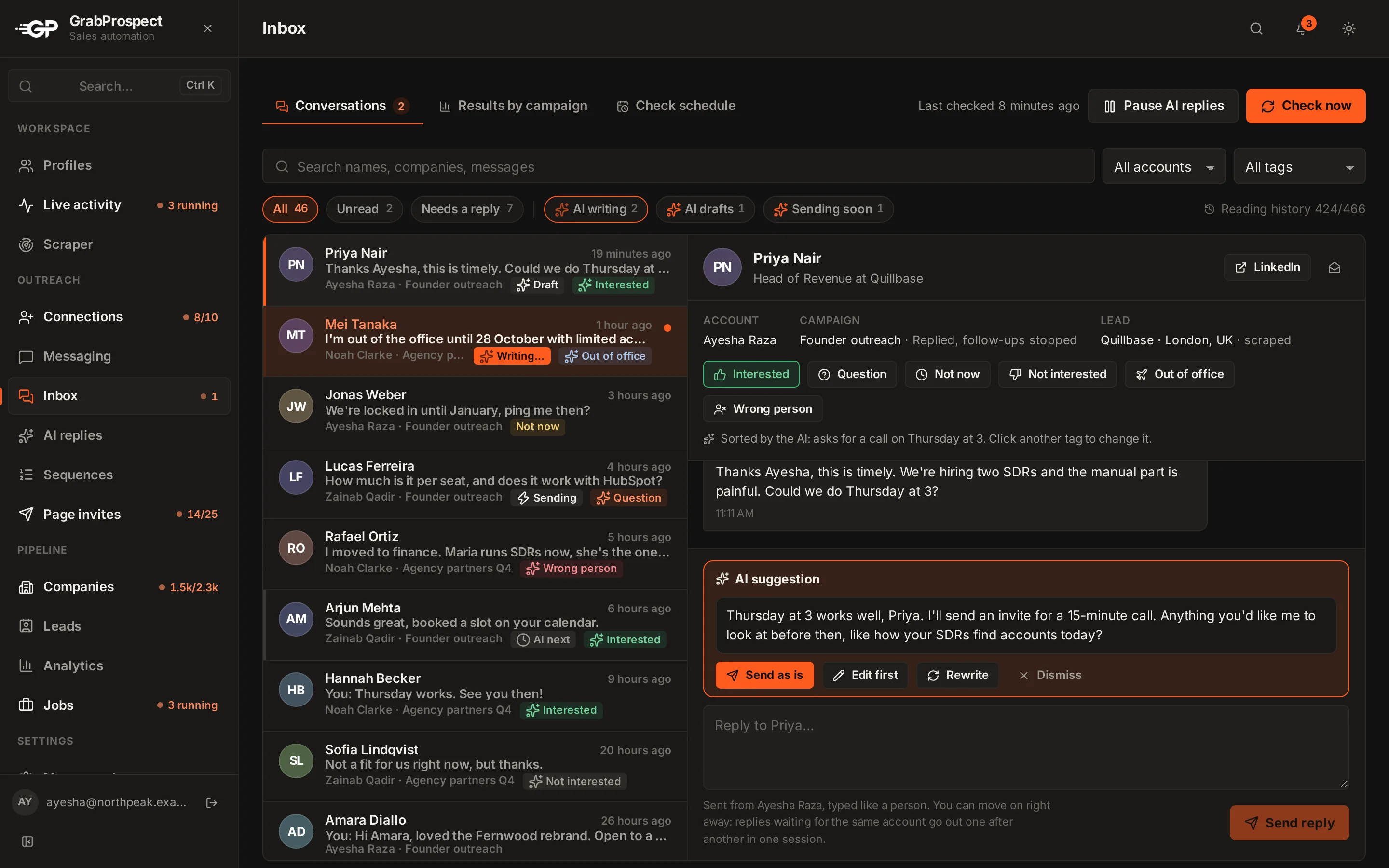
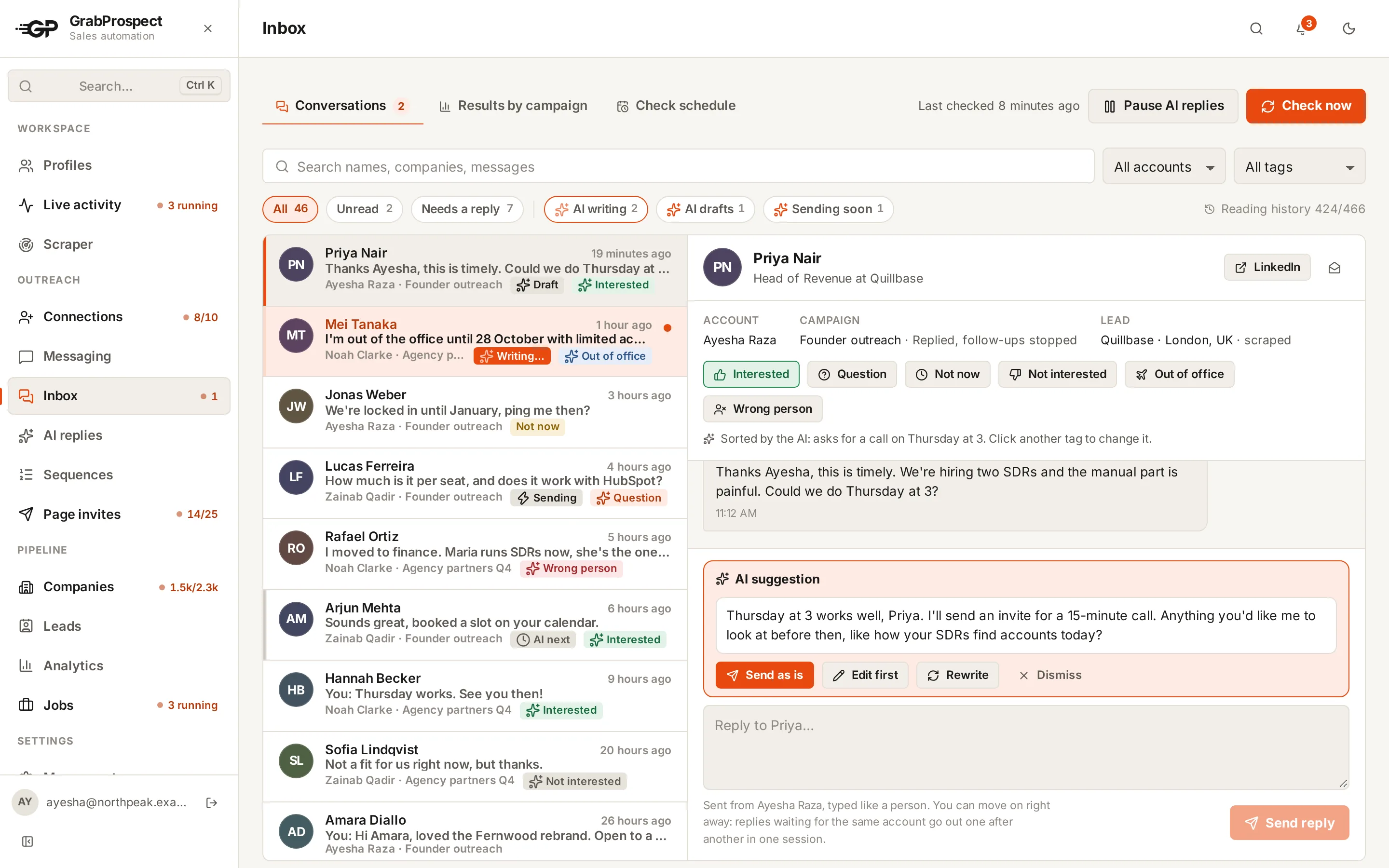
- One inbox for every account, with each reply's campaign next to it.
- The whole conversation, not just the last message, before you answer.
- Tags for the six kinds, so you can filter "Question" and answer them all in one sitting, and see which campaigns bring interested replies.
GrabProspect's unified inbox does all three. The AI replies add-on goes further: it sorts each reply into the six kinds, pushes follow-ups past an out-of-office date, and writes an answer in your voice from your own facts and rules, for you to check and send (or to send by itself after a delay, for the kinds you choose).
Frequently asked questions
How fast should I reply to a LinkedIn message?
Within an hour for interested replies and questions if you can, and the same day at the latest. Speed matters more than polish.
Should I reply to an out-of-office message?
No. Note when they're back and follow up the day after. Replying to an auto-responder adds nothing.
What if someone says "not now" without a date?
Ask whether it's fine to check back in a month or a quarter, and use their answer. If they don't reply, check back in about three months.
Is it OK to use AI to answer LinkedIn replies?
Yes, if it answers from facts you give it, writes in your voice, and you decide which replies it may send without you. See what to automate with AI.
Written by Mehran Iqbal, Co-Founder & CEO of GrabProspect, who builds LinkedIn outreach software and runs outreach with it. Facts checked on 2026-10-17. Spotted something out of date? Email contact@grabprospect.com.