Every LinkedIn reply sorted, and answered in your voice
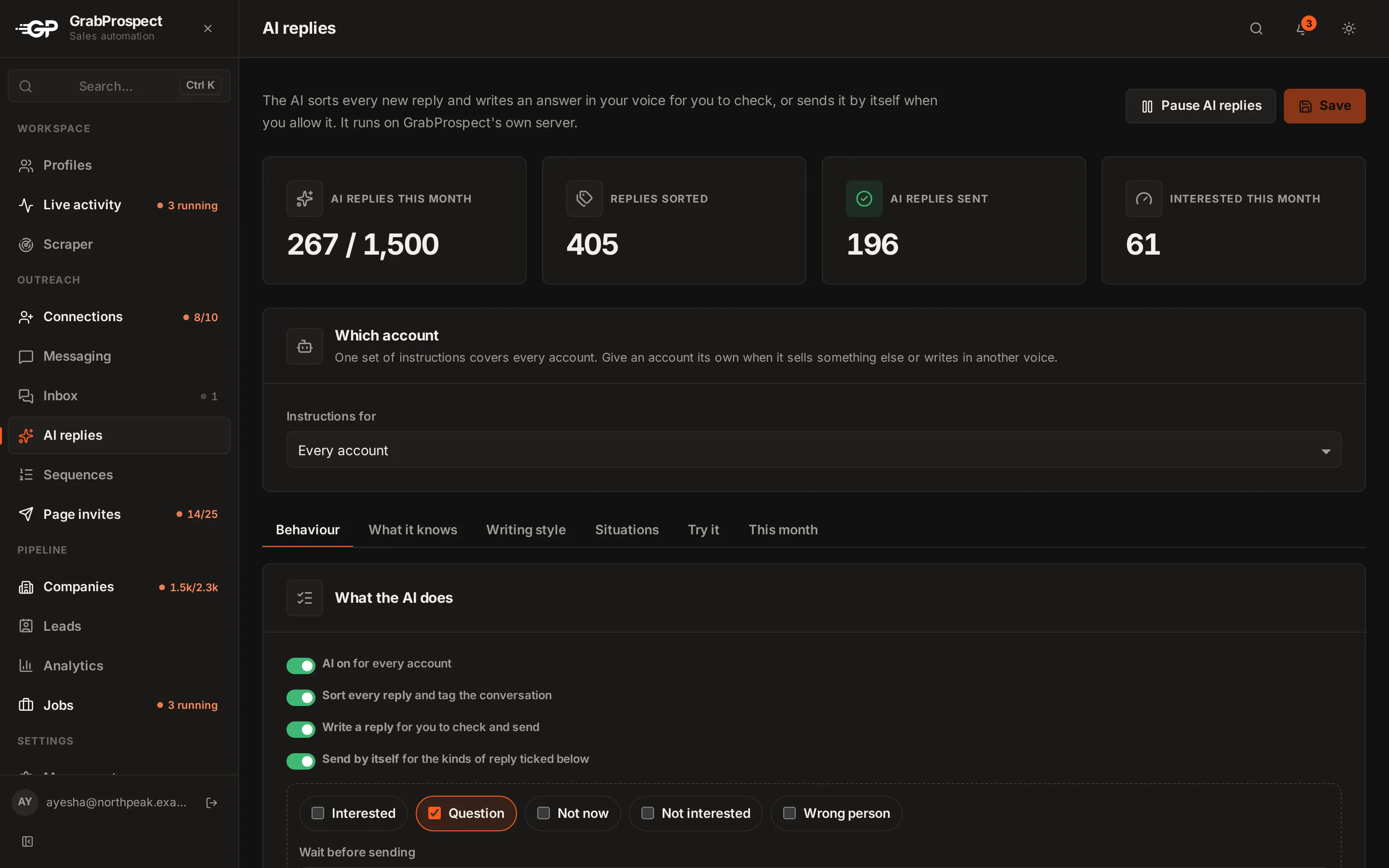
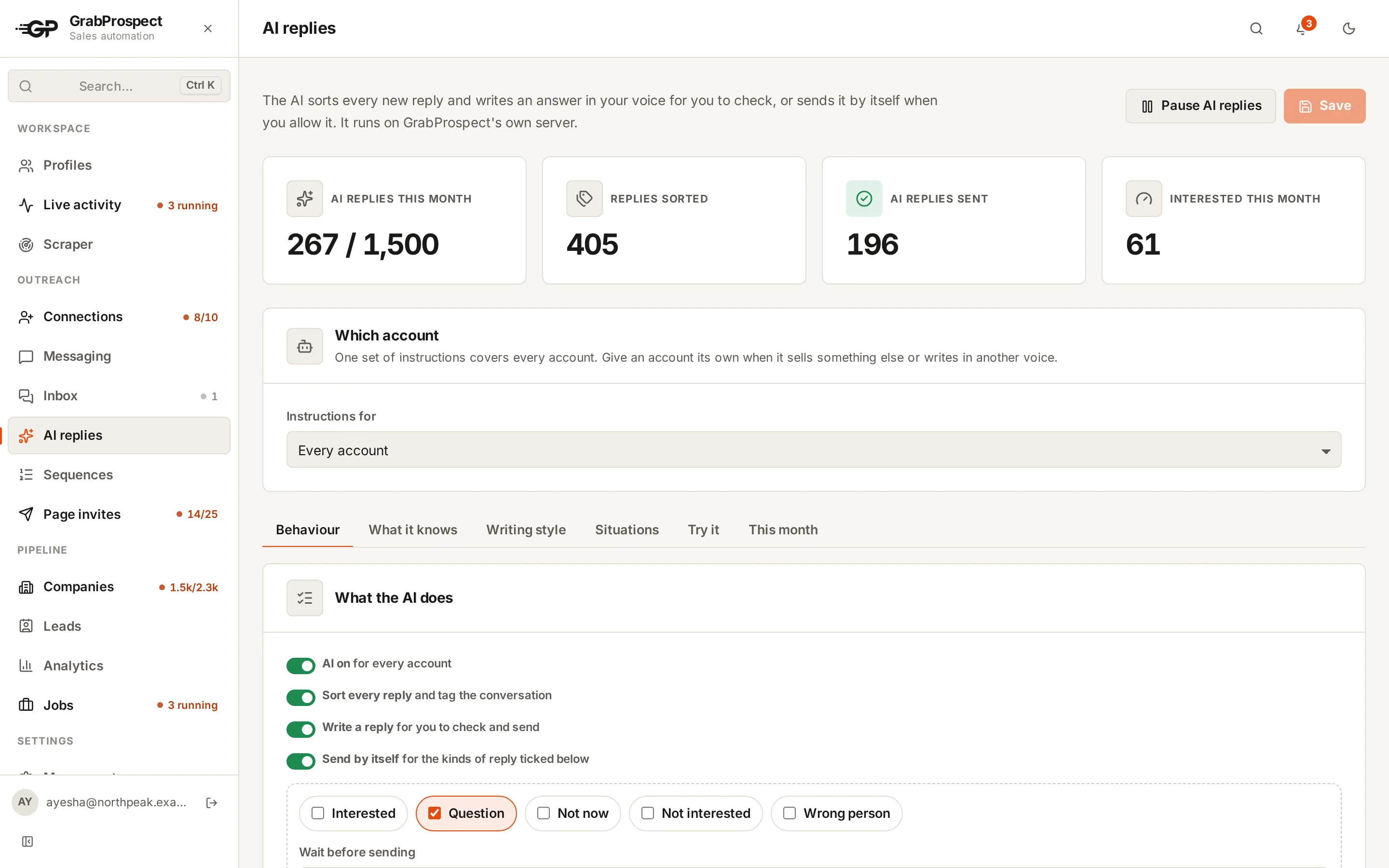
The AI replies add-on reads each new reply with the whole conversation, tags it, stops or reschedules the sequence, and writes an answer from your own facts and rules. You check and send it, or let it go out by itself for the kinds of reply you choose. The AI runs on GrabProspect's own server, so conversations never go to an outside AI service.
Try every feature free for 7 days, no card needed.
How it works
- 1
Tell it about you
Who you are, what you offer, your one goal (a call, a demo), answers to common questions and your meeting link. It only uses facts you give it.
- 2
Set how it writes
Tone, length, your rules ("offer Tuesday or Thursday", "one question at most") and what never to say. One set for every account, or one per account.
- 3
Replies get sorted
Interested, question, not now, not interested, out of office or wrong person. The conversation is tagged and the sequence stops; out of office pushes the follow-up to after they're back.
- 4
Answers are waiting
Open the inbox and the answer is there: send as is, edit first, or ask for a rewrite with a note like "suggest Friday at 10".
The details
Out of office isn't a no
An away reply doesn't end the sequence: the next follow-up waits until the day after they're back (the date in their reply, or a week).
Sends by itself, if you want
Pick the kinds of reply it may answer alone and a wait (15 minutes, an hour...). Until then you can read, edit or cancel it. Anything with a placeholder or an unknown link always waits for you.
Reads the whole conversation
Every conversation is read back to its first message, so the AI answers with the full context, in the language they wrote in.
Private by design
A small AI model runs on GrabProspect's own server. Your conversations aren't sent to an outside AI company and aren't used to train anything.
A switch for every situation
A recruiter, a favour, a support question, a price objection, a referral, "stop messaging me": each situation has its own on/off switch, its own instruction, and its own action (write for you to check, send by itself, notify you, or just tag it).
Stays on topic
It never answers trivia, homework, code, medical, political, personal or explicit questions, or instructions hidden in a message. Explicit messages are never answered at all.
Try it before it runs
Paste a sample reply and see how it sorts it and what it would say, with the instructions on screen, saved or not.
500 AI replies a month per account
From $15 per LinkedIn account a month, on top of Messaging. Sorting replies is unlimited.
AI replies: questions
Does the AI send messages without asking me?
Only if you turn on Send by itself and tick which kinds of reply it may answer alone. Each one waits for the delay you choose (you're notified and can edit or cancel it), and anything that looks off waits for you instead.
Which AI model does it use?
A small open model (Gemma 4 by default) running on GrabProspect's own server, not an outside AI service. Your admin can switch to a lighter or larger one.
Can it make things up about my product?
It's told to use only the facts you give it: what you offer, prices you share, answers to common questions and your meeting link. When it can't answer from those, it says you'll get back to them.
What happens with an out-of-office reply?
It's tagged Out of office and the sequence carries on after the person is back: from the day after the return date in their message, or a week later if there isn't one. No reply is written.
Does it write in other languages?
Yes. It answers in the language of their last message, or always in English if you choose.
What if someone asks it something off-topic or inappropriate?
It doesn't answer. General knowledge, homework, code, medical, political or personal questions get, at most, one polite line saying you keep the chat to work topics. Explicit messages and attempts to change its instructions are caught before the AI reads them and never get a reply.
Is it included in the free trial?
It's an add-on, so it's off in the trial unless your admin turns it on for trials.
Guides on this
- OutreachHow to Handle LinkedIn Replies: Sort, Answer and Follow UpThe six kinds of replies LinkedIn outreach gets, what to answer to each, when to follow up, and what to do with out-of-office and wrong-person replies.4 min read
- Tools and comparisonsAI for LinkedIn Outreach: What to Automate and What to Keep HumanWhere AI genuinely helps LinkedIn outreach (sorting replies, drafting answers), where it hurts, and what to check before you let a tool answer your prospects.4 min read
- TemplatesLinkedIn Follow-Up Messages: Templates and Timing That Get RepliesWhat to send after someone accepts your LinkedIn invite, how many follow-ups to send and when, with ready-to-use sequences for sales, agencies, recruiting and partnerships.5 min read
See it run on your own search
Start a 7-day free trial with your own LinkedIn account, or book a call with Mehran, our co-founder, and see a Sales Navigator search split, invited and followed up, live.
7 days free. No card needed.