Cloud vs Chrome Extension vs Desktop: How LinkedIn Automation Tools Work
The three ways LinkedIn automation tools run, what each means for reliability, safety, setup and cost, and how to choose the right type for your outreach.
By Mehran Iqbal, Co-Founder & CEO of GrabProspect3 min read
Short answer
LinkedIn automation tools run in one of three places: a Chrome extension in your own browser (stops when you close it), a desktop app on your computer or server (stops when it's off), or the cloud, where the tool runs a signed-in session for you on its servers (keeps going with your computer off). Cloud tools suit teams and multiple accounts; extensions and desktop apps are cheaper but need your machine on.
Before comparing features and prices, it helps to know where a LinkedIn tool actually runs. It decides whether outreach keeps going overnight, how it handles several accounts, and what setup looks like.
The three types
| Chrome extension | Desktop app | Cloud | |
|---|---|---|---|
| Runs in | Your own browser | Your computer or a server you run | The tool's servers |
| Keeps going when your computer is off | No | No (unless on your own server) | Yes |
| Setup | Install the extension | Install the app | Connect your LinkedIn account |
| Several LinkedIn accounts | Awkward | Possible | Built for it |
| Typical price | Lowest | Low | Higher per account |
| Examples | Octopus CRM, Evaboot | Linked Helper, STACKED Local | GrabProspect, Expandi, HeyReach, Dripify |
Chrome extensions
The tool works inside the Chrome window you're signed in to.
- Good: cheap, simple, uses your real browser.
- Watch: it only works while Chrome is open and the computer is awake. LinkedIn can detect some extensions on its pages.
- Fits: one person on a budget, light use.
Desktop apps
The tool runs a browser on your computer, or on a server you set up.
- Good: low cost, lots of control.
- Watch: your machine must stay on; you handle updates and uptime.
- Fits: technical users who don't mind running software.
Cloud tools
The tool runs a separate, signed-in browser session for each of your LinkedIn accounts on its servers, on the schedule you set.
- Good: runs with your computer off; handles many accounts; team features.
- Watch: you connect your LinkedIn account to the service, so choose a provider that encrypts credentials and keeps each account's session stable.
- Fits: anyone running outreach daily, teams and agencies.
How GrabProspect works
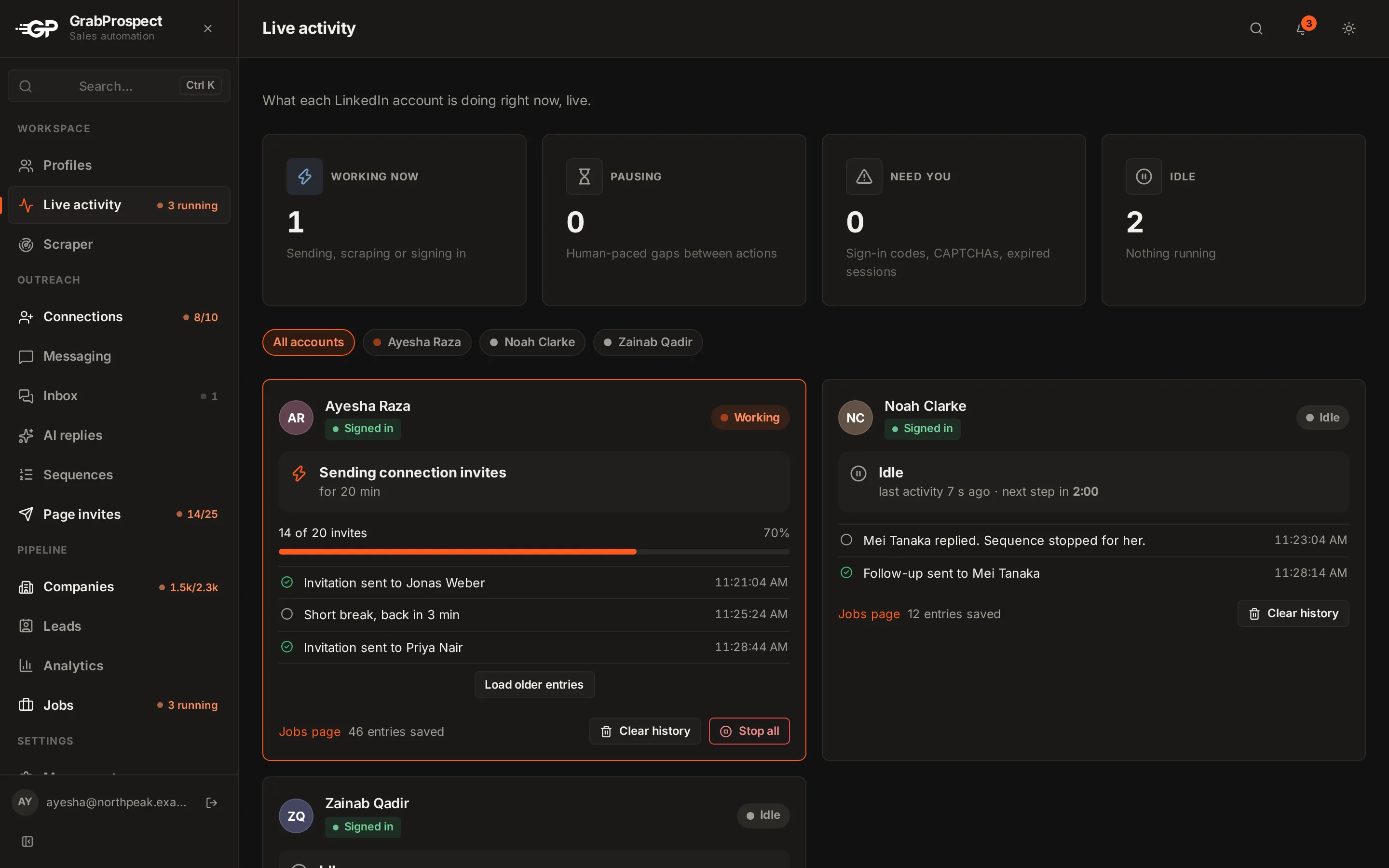
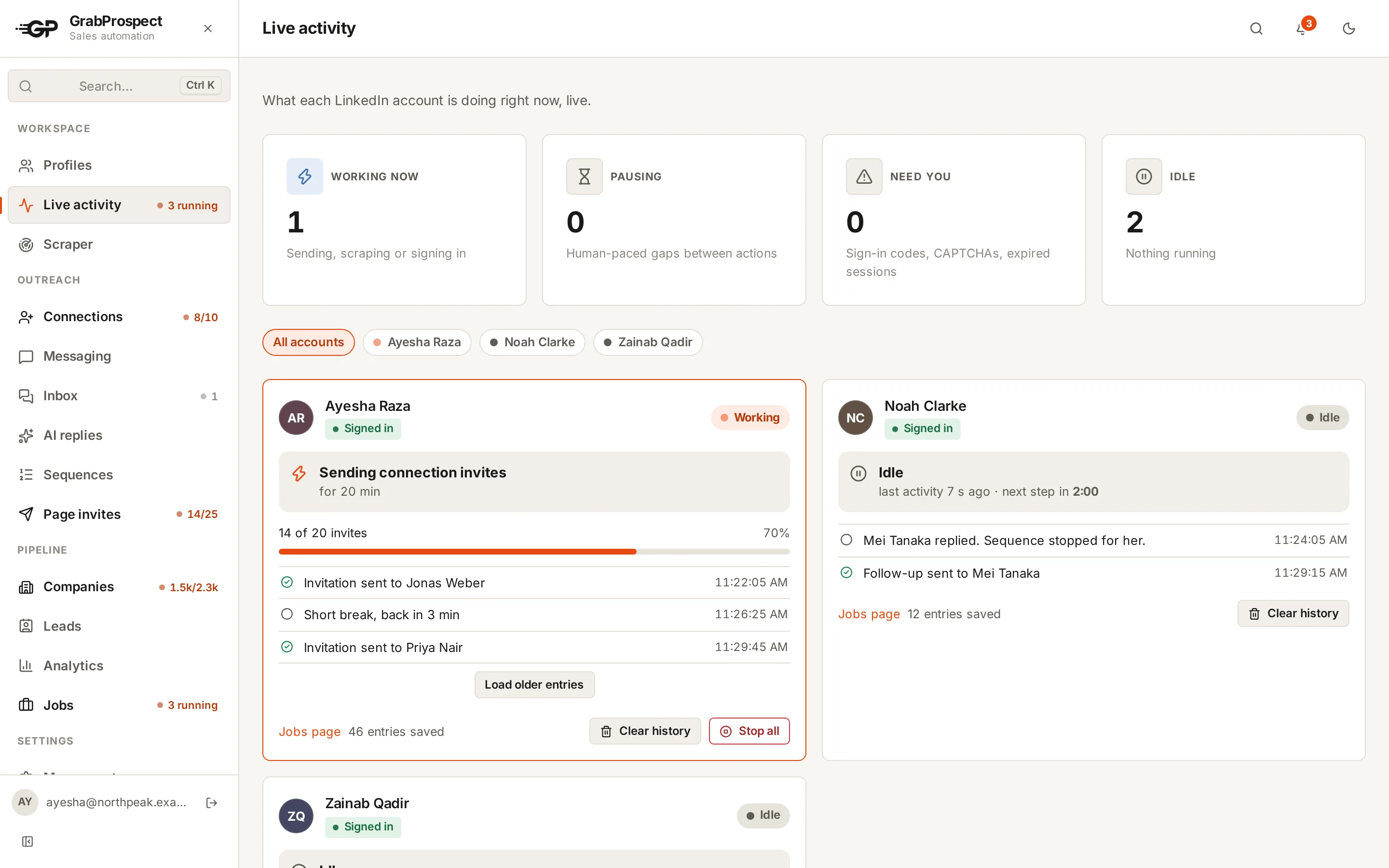
GrabProspect is a cloud tool. Each LinkedIn account runs in its own signed-in browser session on GrabProspect's servers, on the days and hours you choose, with human pacing and per-account limits.
You connect an account in one of two ways:
- The browser extension (Chrome, or one click from Microsoft Edge Add-ons): sign in to LinkedIn in your browser and approve sharing that session. See the extension page.
- Email and password, stored encrypted, with any sign-in code LinkedIn sends entered in the app.
The live activity view shows what every account is doing at any moment.
Do this on autopilot with GrabProspect
Scrape Sales Navigator (even searches over 2,500), send personal invites, follow up until people reply and answer every reply from one inbox. Try it free for 7 days with your own LinkedIn account.
Which is safest?
No type is automatically safe or unsafe. What matters is behaviour: steady pace, irregular gaps, sensible daily and weekly caps, stopping on LinkedIn's warnings, and well-targeted outreach. See using LinkedIn automation without getting restricted.
Choosing
- One person, small budget, computer usually on: an extension or desktop app.
- Daily outreach that shouldn't depend on your laptop: cloud.
- Several accounts, a team or clients: cloud, with per-account limits and one inbox.
Compare specific tools in the best LinkedIn automation tools or side by side.
Frequently asked questions
What's the difference between a cloud LinkedIn tool and a Chrome extension?
An extension runs in your own browser and stops when you close it. A cloud tool runs a signed-in session for your account on its servers, so outreach continues with your computer off.
Is a cloud LinkedIn automation tool safe?
It can be, when it paces actions like a person, respects daily and weekly limits and keeps each account's session stable. Choose one that encrypts saved credentials.
Do I need to keep my computer on for LinkedIn automation?
Only with extensions and desktop apps. Cloud tools keep running with your computer off.
Which type is best for agencies?
Cloud tools, because they handle many client accounts, separate workspaces and one inbox for every reply.
Written by Mehran Iqbal, Co-Founder & CEO of GrabProspect, who builds LinkedIn outreach software and runs outreach with it. Facts checked on 2026-10-14. Spotted something out of date? Email contact@grabprospect.com.