LinkedIn Company Page Invites: Credits, Limits and How to Grow Followers
How LinkedIn's invite-to-follow credits work for Company Pages, how many you get, how to earn them back, and how to use every credit every month.
By Mehran Iqbal, Co-Founder & CEO of GrabProspect3 min read
Short answer
Page admins can invite their 1st-degree connections to follow the Company Page using monthly invite credits, typically 250 a month for a Page. Each invite uses a credit, an accepted invite gives the credit back, and credits reset at the start of each month. The best results come from inviting relevant connections every month and from several admins' networks, not the same people twice.
A Company Page with few followers looks new, and its posts reach almost nobody. The fastest way to grow it is LinkedIn's own "Invite to follow" feature, which lets admins invite their connections. It's free, it uses LinkedIn's built-in credits, and most companies use a fraction of what they get.
How invite credits work
| Rule | Detail |
|---|---|
| Who can invite | Page admins, from their own 1st-degree connections |
| Monthly credits | Typically 250 per Page per month |
| Cost | Each invitation uses one credit |
| Earned back | When someone accepts, the credit comes back |
| Reset | Credits reset at the start of each month |
| Unused credits | Don't roll over: use them or lose them |
LinkedIn can change these numbers, and the credit balance shows at the top of the Invite connections window on your Page's admin view.
Because accepted invites return their credit, a Page whose invites are accepted at a good rate can invite more than 250 people a month.
Step by step: invite connections manually
- Go to your Company Page and switch to the admin view.
- Click Invite connections (or "Grow followers", depending on LinkedIn's current layout).
- Filter by location, industry, company or school to find relevant people.
- Tick the people to invite. The window shows how many credits you have left.
- Click Invite.
Doing this by hand is fine for 20 people. For 250 a month, across several admins, it's an hour of ticking boxes.
Who to invite
Inviting the wrong people wastes credits (no acceptance means no credit back). Prioritise:
- Customers and partners, who already know you.
- People in your target industry and region, who'll see your posts as relevant.
- People who engaged with your posts or your team's posts.
- Colleagues and alumni.
Skip people far outside your market. They rarely accept, and their credits don't come back.
Use several admins' networks
The credits belong to the Page, but invitations go to each admin's own connections. A Page with three admins can invite from three different networks. Rotate: one admin's best connections this month, another's next month.
Do this on autopilot with GrabProspect
Scrape Sales Navigator (even searches over 2,500), send personal invites, follow up until people reply and answer every reply from one inbox. Try it free for 7 days with your own LinkedIn account.
Automating Page invites
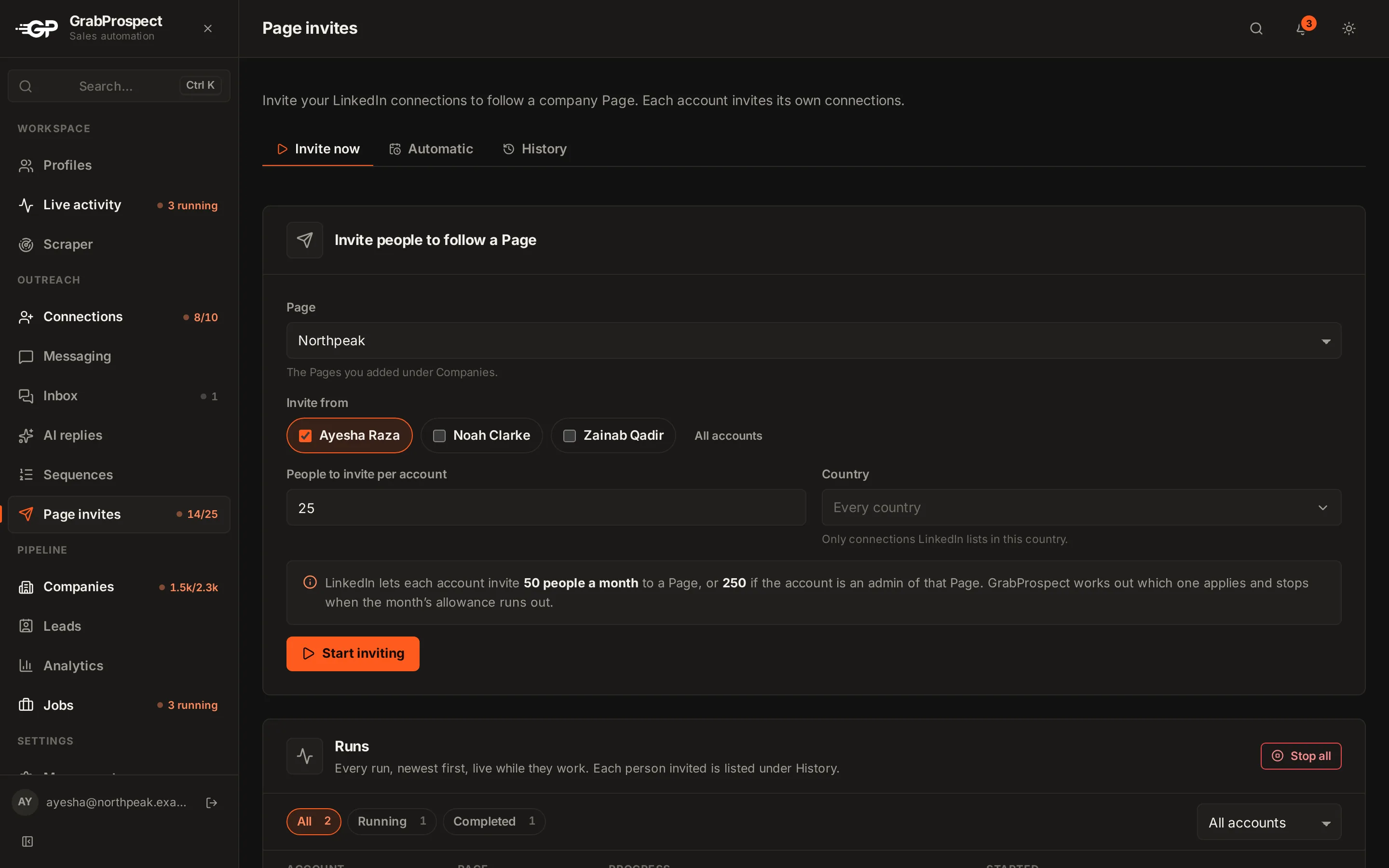
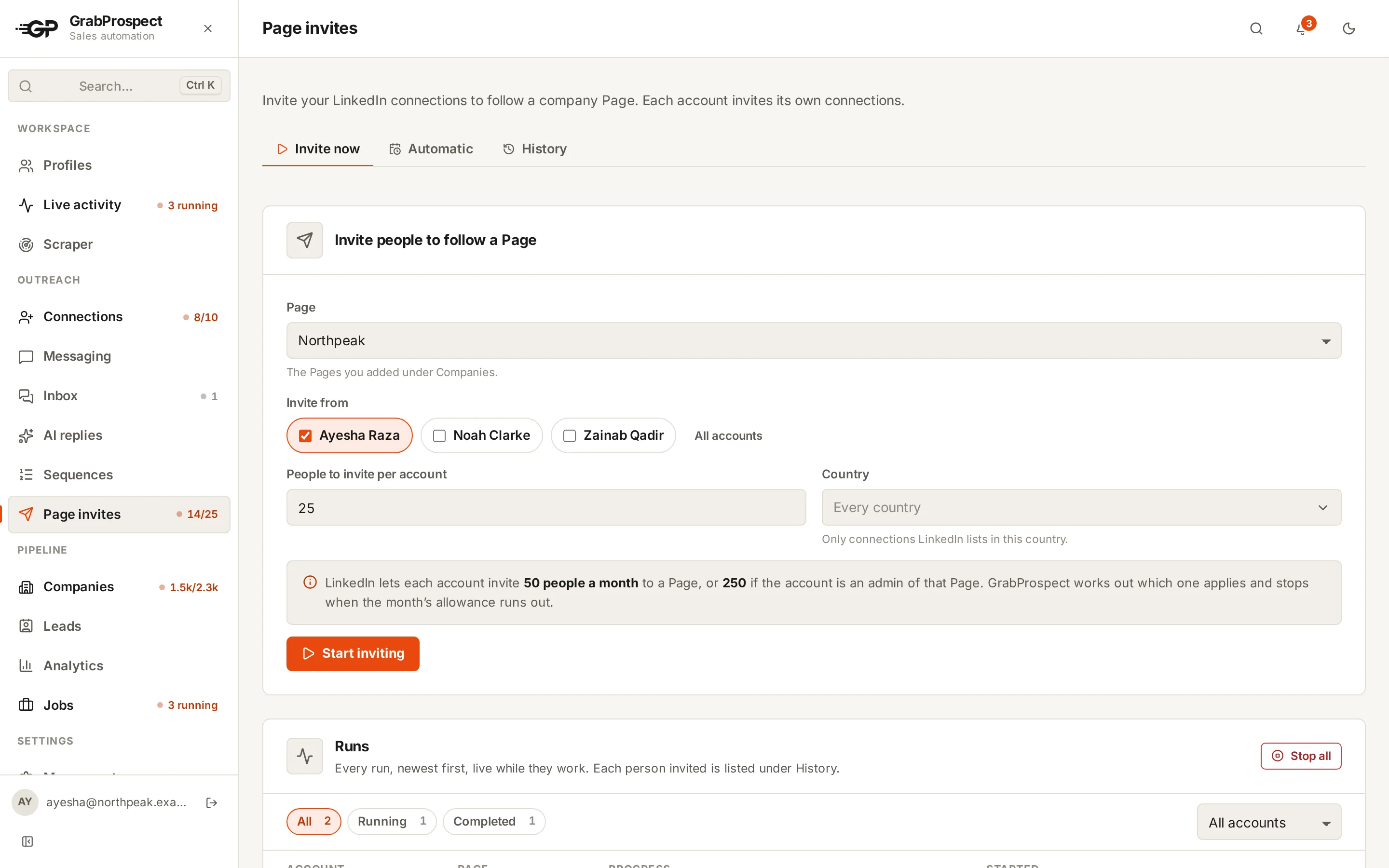
GrabProspect's Company Page invites feature:
- Picks the Page and the LinkedIn accounts to invite from.
- Invites each account's connections within LinkedIn's monthly allowance, and if you ask for more than is left, it invites what's left instead of failing.
- Runs now or on a schedule for several accounts at once.
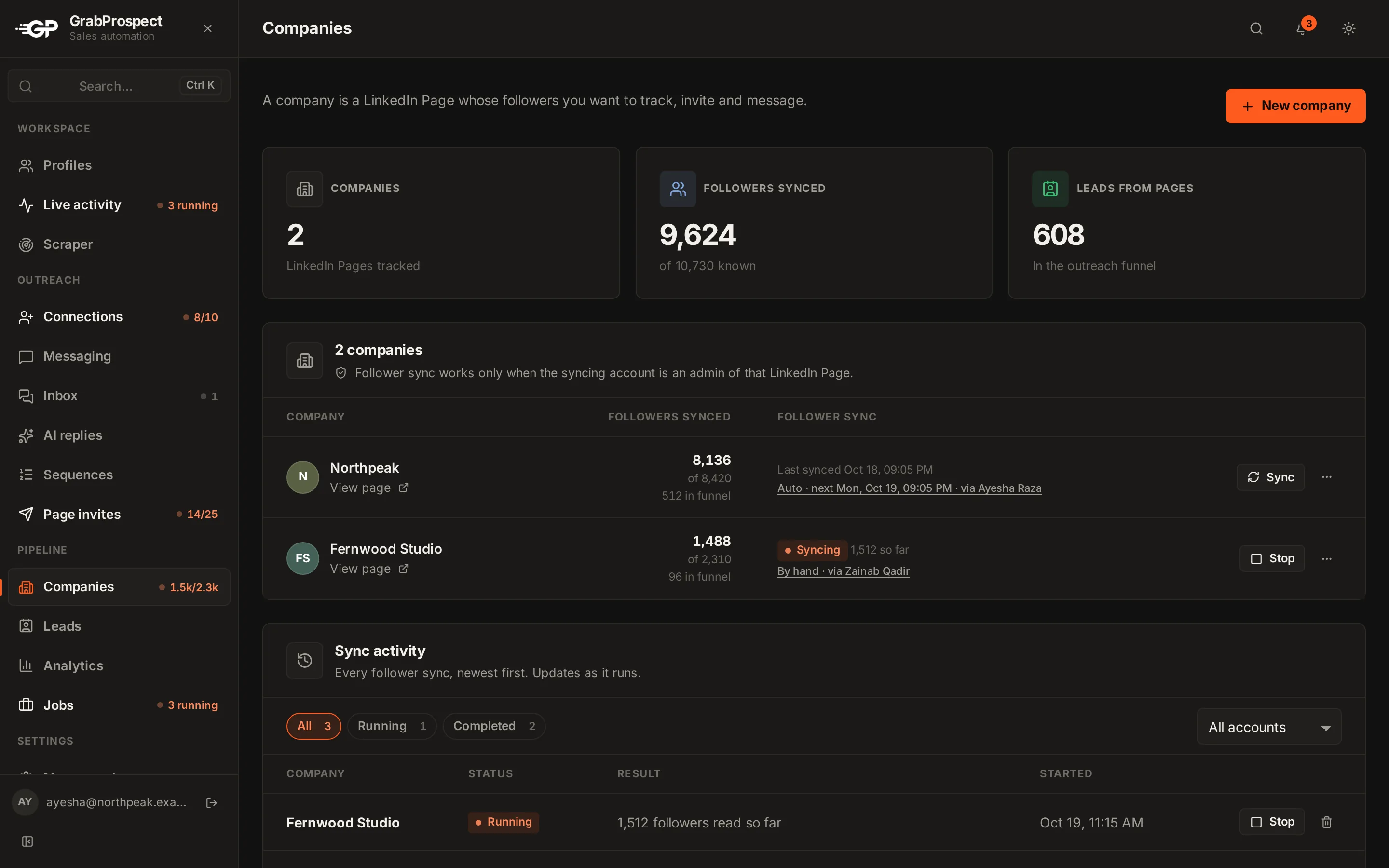
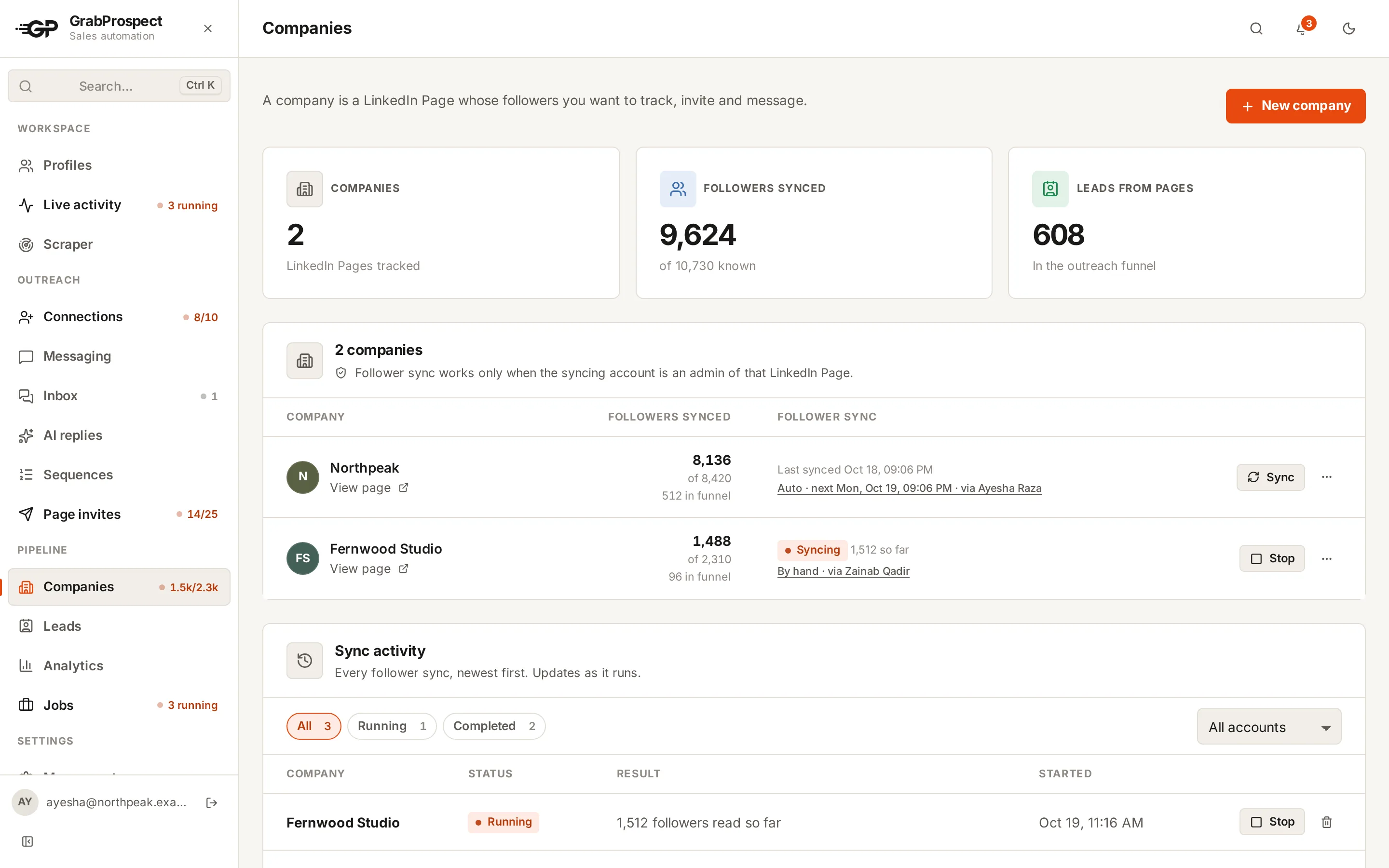
- Syncs followers, so it knows who already follows and doesn't spend credits on them. A quick sync checks for new followers on a schedule; a deep sync reads the whole list on request.
- Logs every run, with who was invited and why anyone was skipped.
A monthly routine
| When | What |
|---|---|
| 1st of the month | Credits reset. Run Page invites for each admin account |
| Mid-month | Accepted invites returned credits; invite the next group |
| Weekly | Post on the Page: new followers need something to see |
| Month end | Check follower growth and acceptance rate in your Page analytics |
Frequently asked questions
How many people can I invite to follow my LinkedIn Company Page?
Pages typically get 250 invite credits a month. Each invite uses a credit and accepted invites give it back, so a Page can invite more than 250 people in a month when many accept.
When do LinkedIn Page invite credits reset?
At the start of each month. Unused credits don't carry over.
Can non-admins invite people to follow a Company Page?
Only admins can use the Page's credits. LinkedIn lets other employees invite in some cases, with much smaller limits.
Do Page invites count toward my weekly connection limit?
No. Page invites use the Page's own credits, separate from your personal connection request limit.
Can I invite people who aren't my connections?
No. Page invites only go to the admin's 1st-degree connections.
Written by Mehran Iqbal, Co-Founder & CEO of GrabProspect, who builds LinkedIn outreach software and runs outreach with it. Facts checked on 2026-10-13. Spotted something out of date? Email contact@grabprospect.com.