Personal connection requests, sent at a human pace
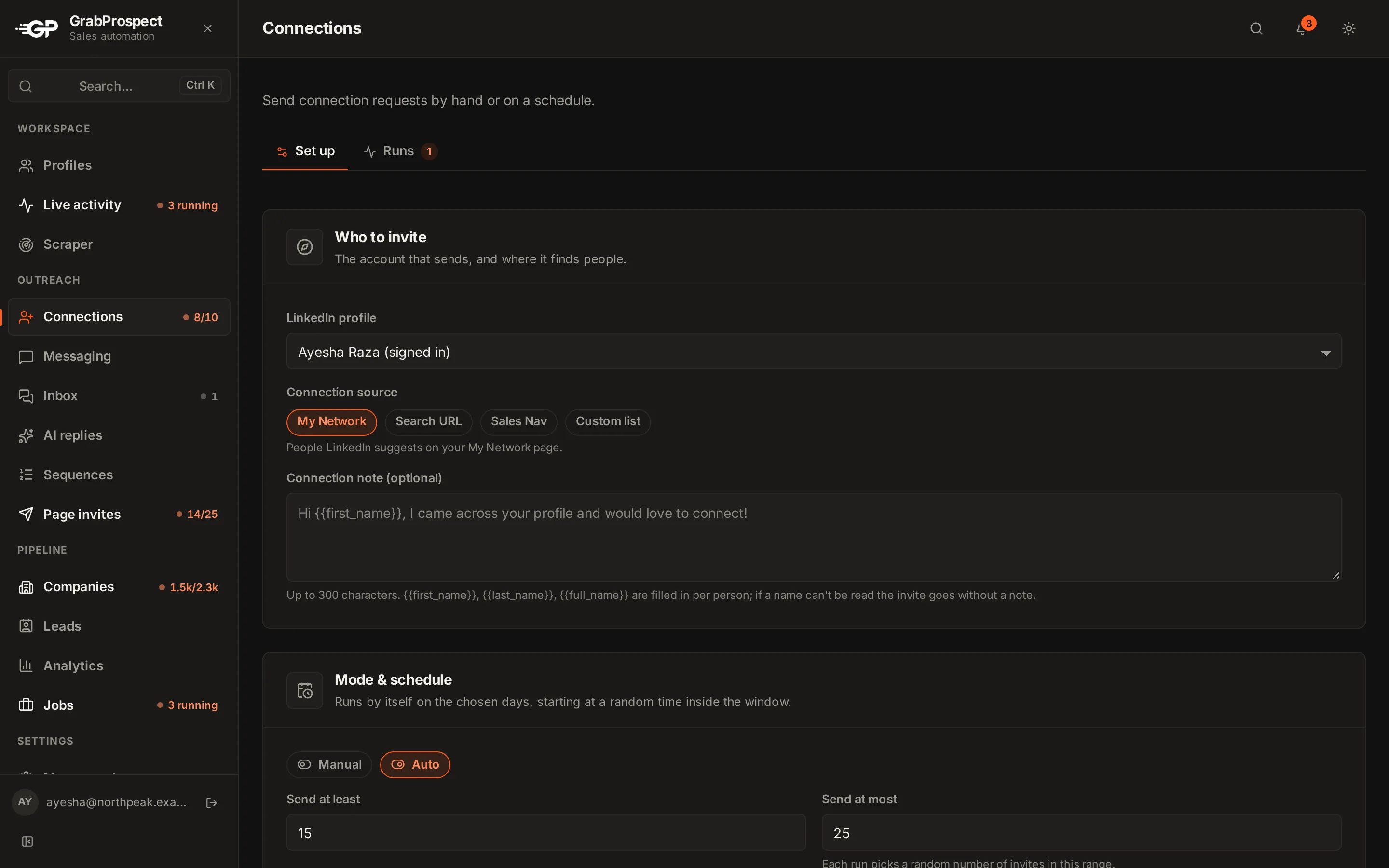
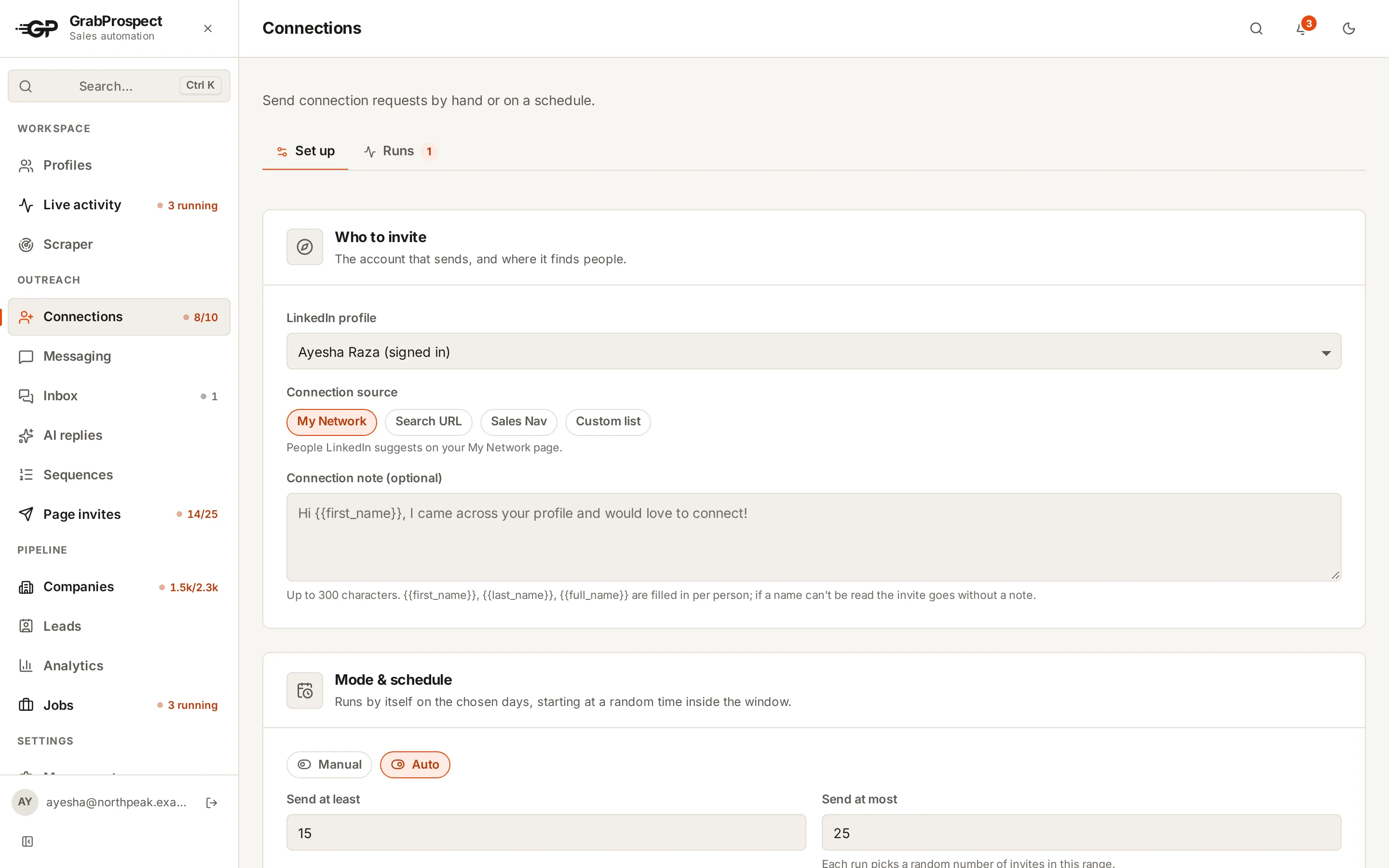
Choose who to invite (your network suggestions, a LinkedIn search, Sales Navigator results or your own list), write a note with the person's first name, and GrabProspect sends invites through the day within the limits you set. It stops for the week when LinkedIn's weekly limit is reached.
Try every feature free for 7 days, no card needed.
How it works
- 1
Pick a source
My Network suggestions, a LinkedIn search URL, a Sales Navigator search, or a custom list you upload.
- 2
Write the note
Optional, with {{first_name}} filled in for each person. Leave it blank for invites without a note.
- 3
Set the pace
Daily and weekly caps per LinkedIn account; invites go out on the days and hours you choose.
- 4
Run now or on Auto
Start a run when you like, or let Auto send a little every working day. Every run is logged with everyone it reached.
The details
Four sources
My Network, a LinkedIn search, Sales Navigator results or an uploaded list, so you can invite exactly the people you mean.
Reacts to LinkedIn's weekly limit
When LinkedIn says the weekly invitation limit is reached, that account stops inviting until the next week and you get a notification.
Human pacing
A different start minute each day and short, irregular gaps between invites.
25 a day, 120 a week
Standard caps per LinkedIn account, kept inside LinkedIn's own weekly limit. Raise them with High volume or Custom.
Runs log
Every run, live and past: progress, why it stopped, and each person it reached, sent or skipped and why. Download it as CSV.
Leads to sequences
People who accept can move into a follow-up sequence that stops when they reply.
Connection invites: questions
How many connection requests can I send per day?
On Standard, 25 a day and 120 a week per LinkedIn account, inside LinkedIn's own weekly limit of about 100 for most accounts.
Can I add a personal note to every invite?
Yes, with the person's first name filled in. Free LinkedIn accounts can only add notes to a few invites a month; Premium and Sales Navigator accounts can add one to every invite.
What happens when LinkedIn's weekly limit is reached?
GrabProspect detects LinkedIn's message, stops invites from that account until the next week and notifies you.
Can I invite people from a CSV list?
Yes. Upload a list of LinkedIn profile links as a custom list and invite them.
Guides on this
- Templates50 LinkedIn Connection Request Messages That Get AcceptedShort, specific connection notes for every situation (prospects, recruiters, founders, events, mutual connections), plus the rules that make a note work.6 min read
- LinkedIn limits and safetyLinkedIn's Weekly Invitation Limit in 2026: How It Works and What to DoHow many connection requests LinkedIn lets you send per week, why the number differs between accounts, what happens when you hit it, and how to get more from every invite.5 min read
- LinkedIn limits and safetyHow (and When) to Withdraw Pending LinkedIn InvitationsWhy old pending connection requests hurt your outreach, how to withdraw them, the three-week rule, and a simple routine that keeps your invitation list healthy.2 min read
See it run on your own search
Start a 7-day free trial with your own LinkedIn account, or book a call with Mehran, our co-founder, and see a Sales Navigator search split, invited and followed up, live.
7 days free. No card needed.