Follow-ups that stop the moment someone replies
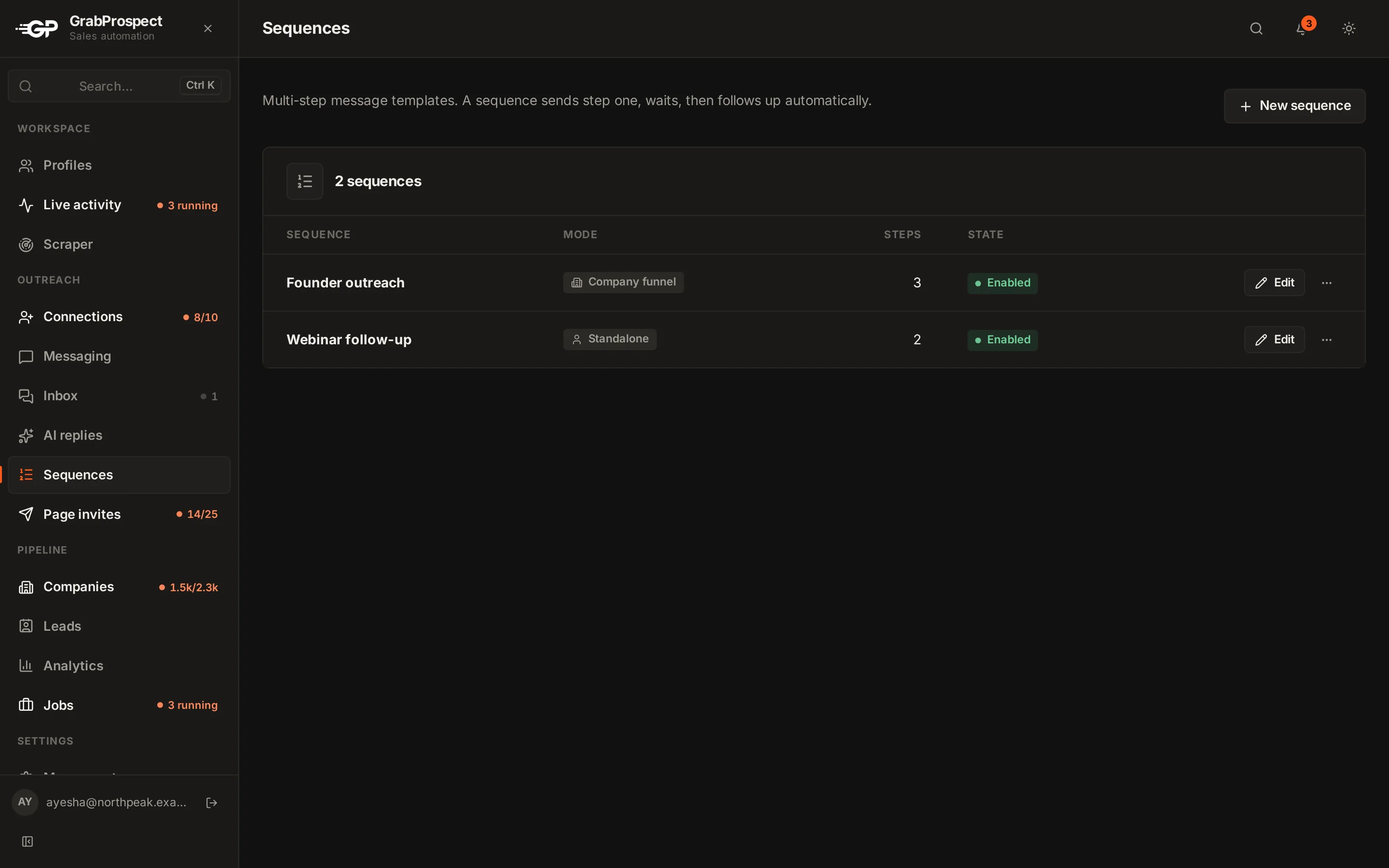
Write a sequence once: a first message and a few follow-ups, with several versions of each step. GrabProspect sends each step at the right time and stops a person's sequence as soon as they reply, so nobody gets a follow-up after answering.
Try every feature free for 7 days, no card needed.
How it works
- 1
Write the steps
A first message and follow-ups with the wait between them. Add several versions of a step to vary the wording.
- 2
Choose who gets it
Pick the leads or campaign the sequence runs on, and the LinkedIn account it sends from.
- 3
Let it run
Messages go out in the account's working hours at a human pace, within its daily message cap.
- 4
Answer replies
Replies stop the sequence and land in the inbox, tagged by campaign, ready to answer.
The details
Stops on reply
The most important rule in outreach, built in: a reply ends that person's sequence immediately.
Several versions per step
Vary wording across people so messages don't read as copies.
Personal fields
First name and other details filled in for each person.
40 messages a day
Standard cap per LinkedIn account; follow-ups have their own counter. Raise it with High volume or Custom.
Results by campaign
See who replied, who was interested and which sequence and step produced the replies.
Per client or teammate
Each account and workspace has its own sequences, in its own voice.
Message sequences: questions
Do follow-ups stop when someone replies?
Yes, immediately. A reply ends that person's sequence.
How many follow-ups should a sequence have?
Two or three after the first message, spaced 3 to 7 days apart, usually works best.
Can I send different versions of a message?
Yes. Add several versions of a step and they're used across people.
Does it send email too?
No. Sequences are LinkedIn messages.
Guides on this
- TemplatesLinkedIn Follow-Up Messages: Templates and Timing That Get RepliesWhat to send after someone accepts your LinkedIn invite, how many follow-ups to send and when, with ready-to-use sequences for sales, agencies, recruiting and partnerships.5 min read
- LinkedIn limits and safetyLinkedIn Message Limits: How Many Messages Can You Send Per Day?The limits that apply to LinkedIn messages, InMail and connection notes, the numbers that keep accounts safe, and how follow-ups fit in.2 min read
- OutreachLinkedIn Cold Outreach: The Complete Playbook for 2026A step-by-step LinkedIn outreach process, from defining who to reach and building the list to invites, follow-ups, handling replies and measuring results.4 min read
See it run on your own search
Start a 7-day free trial with your own LinkedIn account, or book a call with Mehran, our co-founder, and see a Sales Navigator search split, invited and followed up, live.
7 days free. No card needed.