Company Page invites and follower sync
Add a Company Page, invite your connections to follow it now or on a schedule, and keep its follower list in sync.
Updated
Quick answer
Add the Page under Companies. Then in Page invites, choose the Page and the accounts to invite from, set People to invite per account, and click Invite now, or set Invite automatically with days and times. LinkedIn allows 250 invites a month from a Page admin's account and 50 from others; follower sync makes sure people who already follow are skipped.
Add the Page
- Open Companies and create a company.
- Paste the LinkedIn Page link, and optionally the Follower analytics link (admins).
- In the company's ⋯ menu, open Sync settings and choose the Account that syncs: the account that reads the followers. Follower sync works only when that account is an admin of the Page.
Invite now
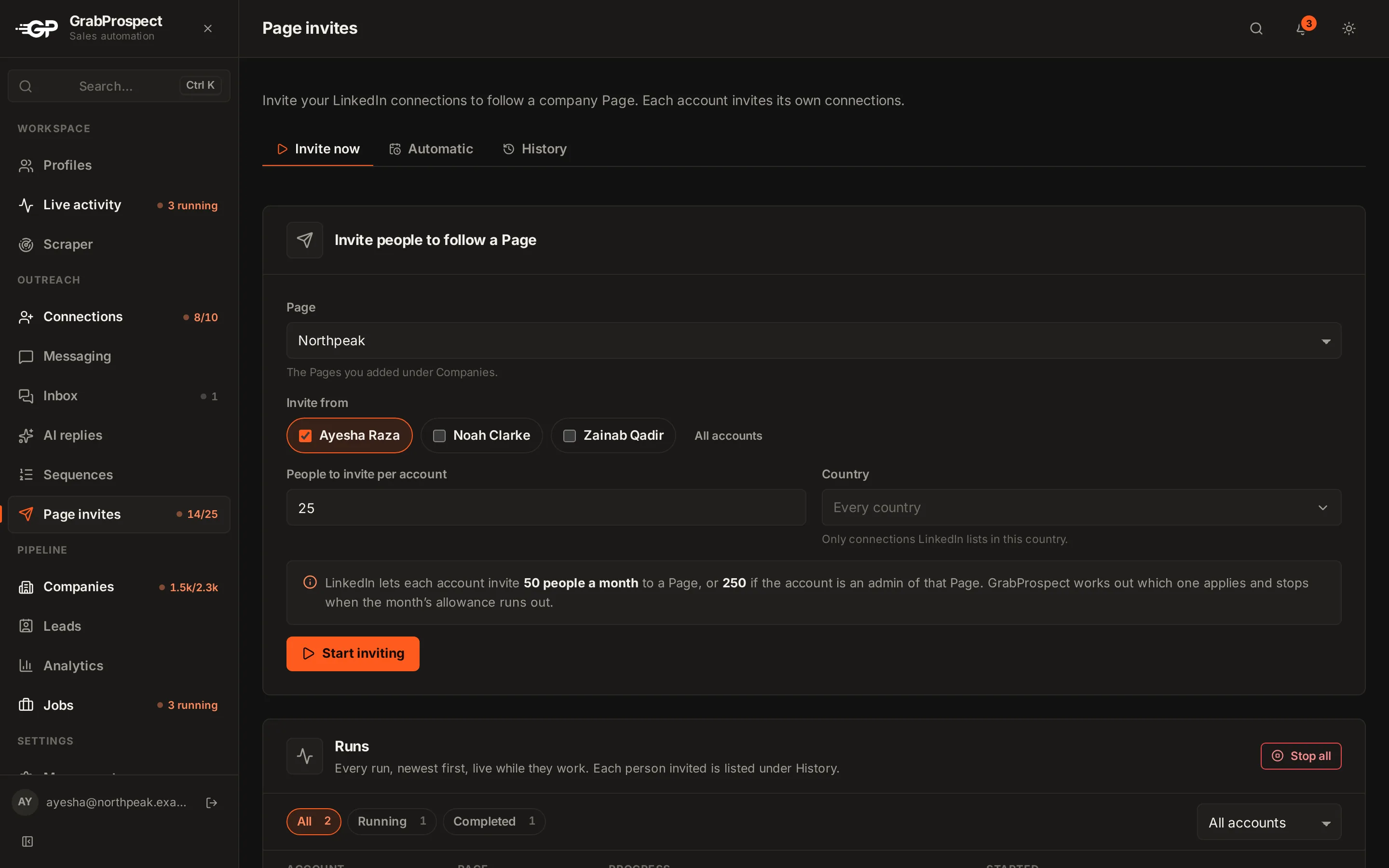
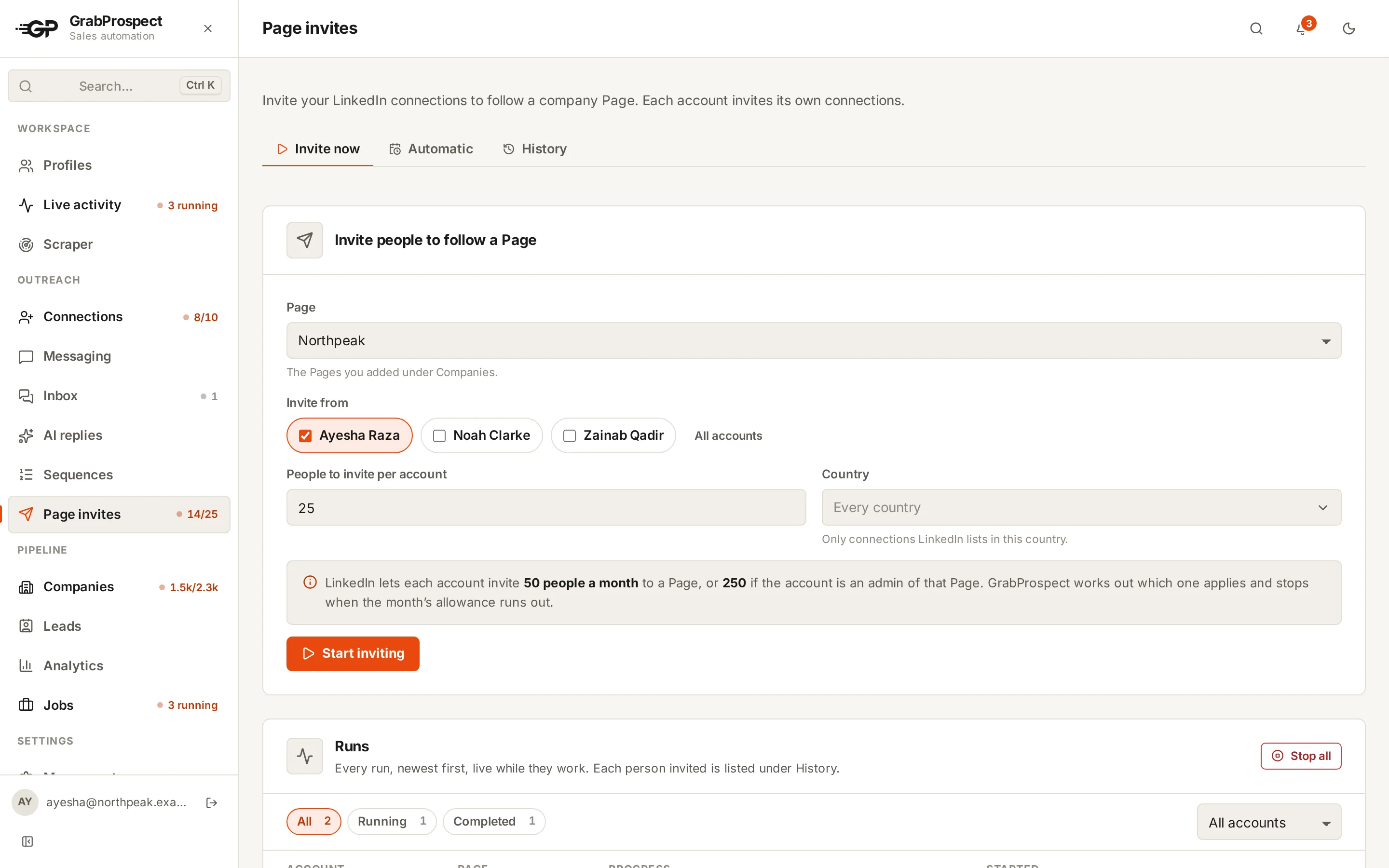
- Open Page invites › Invite now.
- Page: one you added under Companies.
- Invite from: tick one or more accounts. Each invites its own connections.
- People to invite per account, then Start inviting.
If you ask for more than an account has left this month, it invites what's left. People LinkedIn won't allow are skipped.
Invite automatically
Under Invite automatically, pick the Page, the accounts, the days and times. Each run invites a random number of people within your range. Use Use the same schedule for to apply it to several accounts.
Follower sync
- Quick sync (the Sync button): checks for new followers, by hand or on a schedule set in ⋯ › Sync settings.
- Deep sync (in the ⋯ menu): reads the whole follower list to the very last follower, about 100 every few seconds (roughly 6 to 8 minutes per 10,000). When LinkedIn is slow it waits and asks again instead of stopping. Runs only when you press it.
Every sync shows under Sync activity.
Frequently asked questions
How many Page invites can I send?
LinkedIn allows 250 a month from a Page admin's account and 50 from others. Accepted invites can return credits.
Do Page invites count toward connection limits?
No. They use the Page's own monthly allowance.
Why can't I sync followers?
The sync profile must be an admin of the Page.
Still stuck? Ask us and we’ll help.
Contact us