Split a search over 2,500 results
Use the query splitter to divide a Sales Navigator search into sub-searches that each fit under 2,500, check their live counts and scrape them all.
Updated
Quick answer
Open Scraper › Query splitter, paste the Sales Navigator search, enter the estimated total, leave Split dimension on Auto and click Split search. Check counts with Inspect all (or Batch-inspect for automatic splitting with live counts), then click Copy all links and paste them into Scraper › Bulk scrape › Add in bulk to scrape every piece.
Sales Navigator shows at most 2,500 results for any search. The query splitter divides a bigger search into sub-searches that each fit, keeping your own filters.
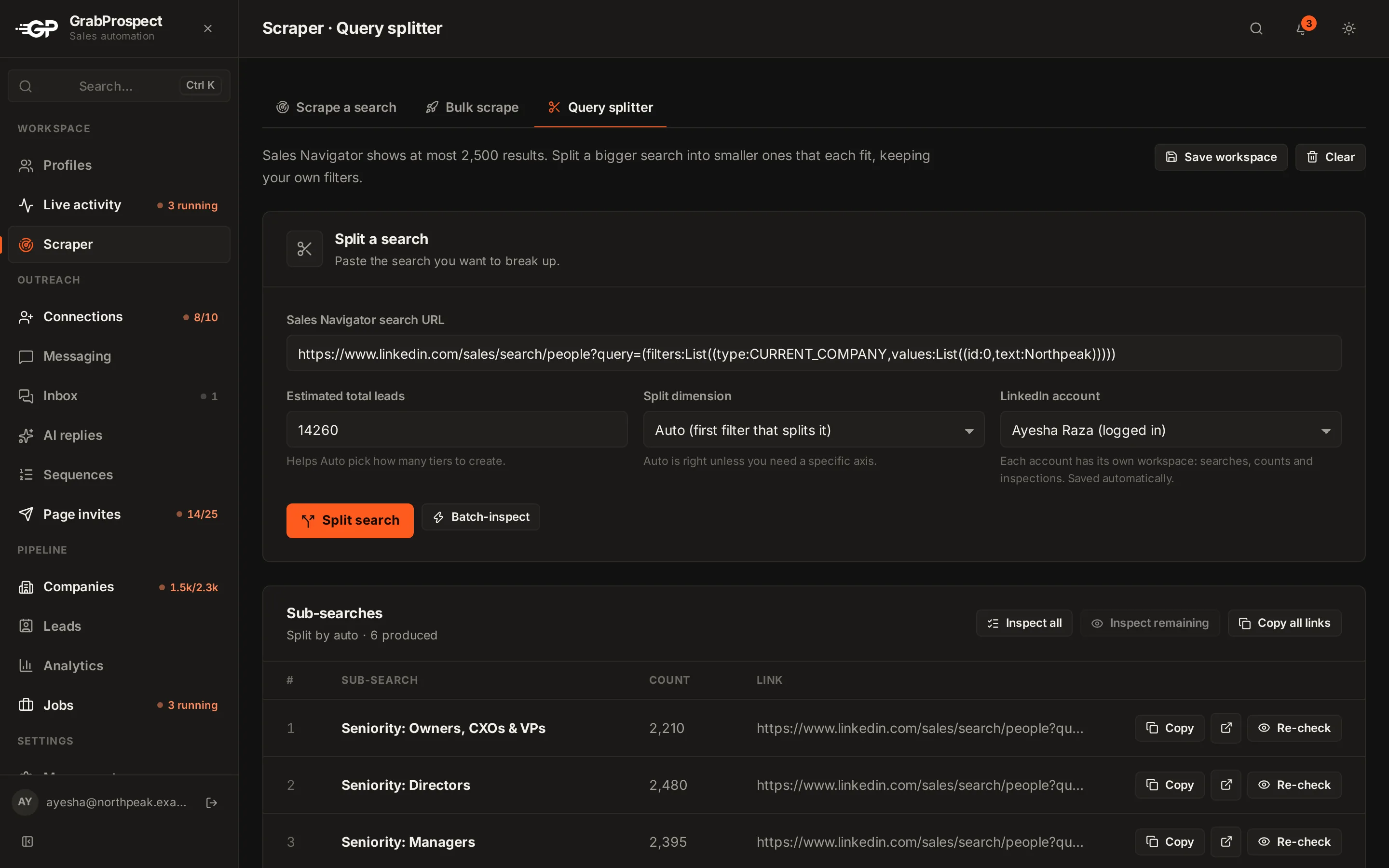
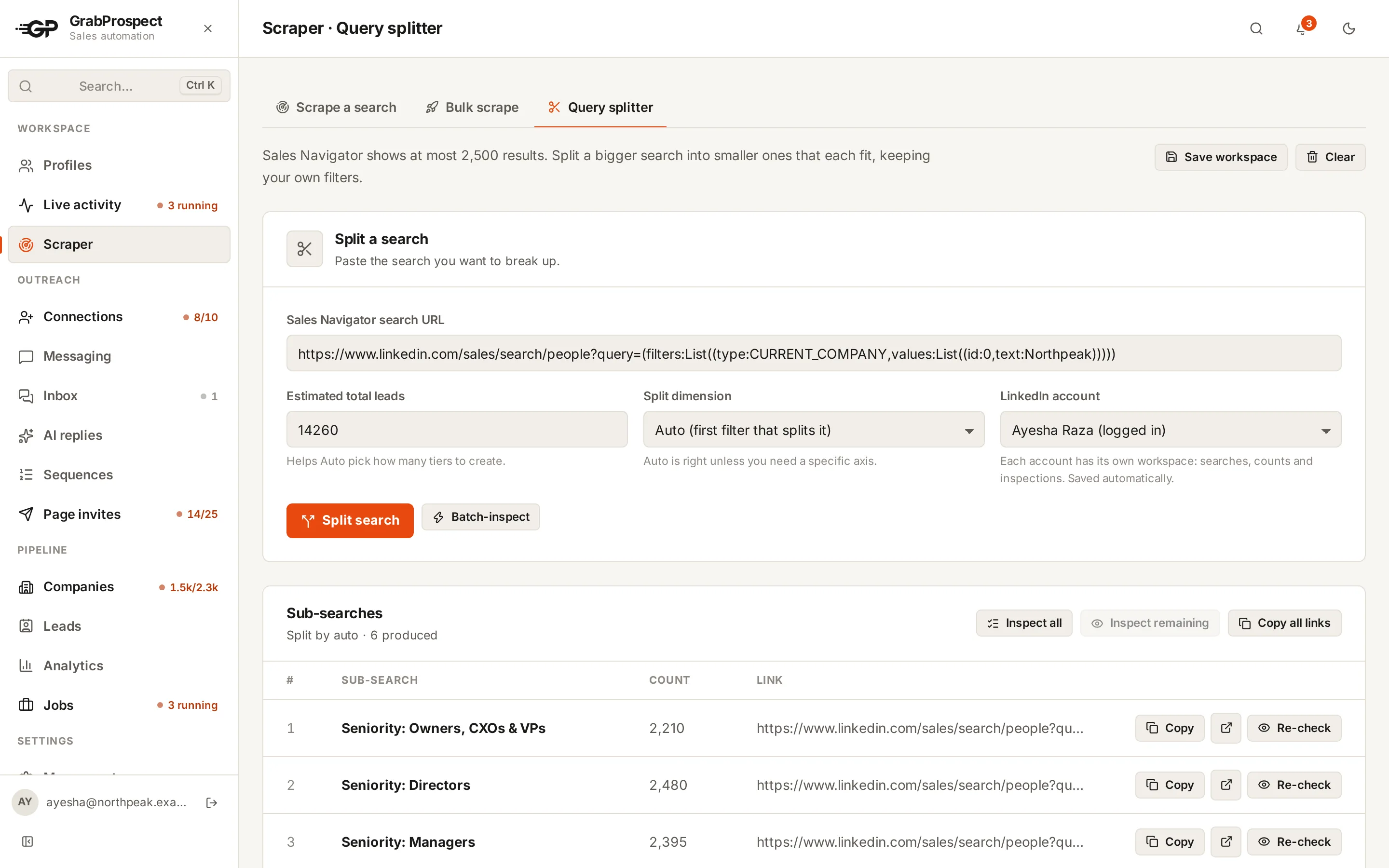
Split a search
- Open Query splitter (under Scraper).
- Choose the LinkedIn account whose Sales Navigator checks the counts.
- Paste the Sales Navigator search URL.
- Estimated total leads: the number Sales Navigator shows. It helps Auto decide how many pieces to create.
- Split dimension: leave on Auto (the first filter that splits it), or choose Seniority, Function, Company headcount, Years in current position and others.
- Click Split search.
Check live counts
- Inspect all checks every sub-search's live count, one at a time.
- Inspect remaining checks only those without a count yet.
- Batch-inspect splits with live counts automatically until every piece fits, and reports coverage: how many of the original results the pieces reach.
Any sub-search still over 2,500 can be split further from its row.
Scrape every piece
- Click Copy all links on the sub-search list.
- Open Scraper › Bulk scrape › Add in bulk and paste them (one per line).
- Pick the accounts and how many links each takes, then add and start. See scrape many searches at once.
Leads found by more than one sub-search are saved once.
Frequently asked questions
Which split dimension should I use?
Auto works for most searches. Seniority and Company headcount split cleanly because every profile has one value.
What does coverage mean?
The share of the original search the sub-searches reach together. Profiles with no value for the splitting filter can fall outside every piece; coverage shows how many.
Does the splitter use my Sales Navigator account?
Yes. It opens each sub-search with the account you choose to read the live count, at a human pace.
Still stuck? Ask us and we’ll help.
Contact us