Send connection invites
Send LinkedIn connection requests from My Network, a search, Sales Navigator or your own list, with a personal note, by hand or automatically on a schedule.
Updated
Quick answer
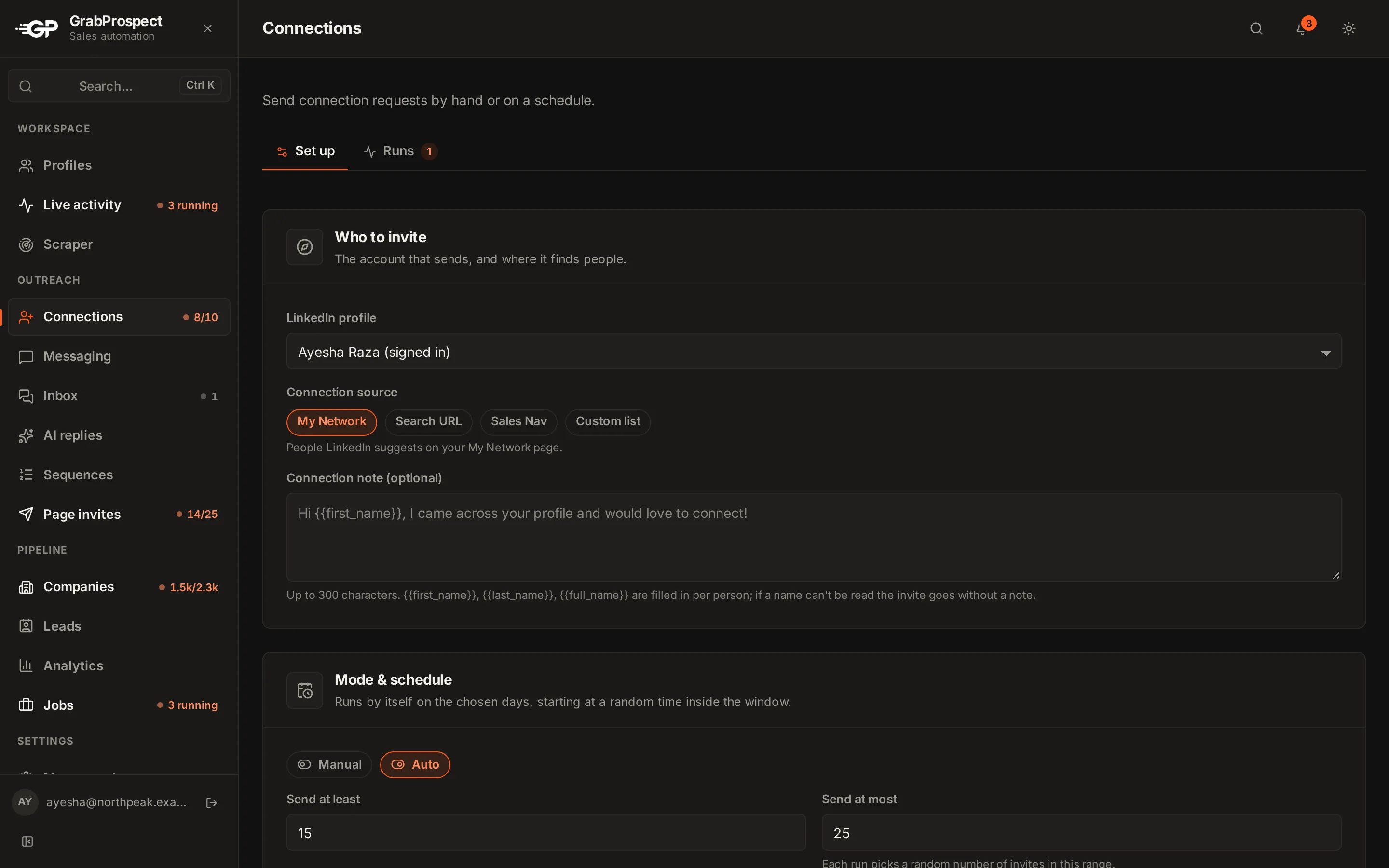
Open Connections, choose the LinkedIn profile, pick a Connection source (My Network, Search URL, Sales Nav or Custom list), write an optional note using {{first_name}}, then choose Manual (click Run now) or Auto (runs on your days and times). Every run is logged under Runs, and invites stop for the week if LinkedIn's weekly limit is reached.
Set up invites
- Open Connections.
- LinkedIn profile: the account that sends.
- Connection source:
- My Network: people LinkedIn suggests on your My Network page.
- Search URL: a LinkedIn people search.
- Sales Nav: a Sales Navigator search.
- Custom list: LinkedIn profile URLs you paste, one per line.
- Connection note (optional): up to 300 characters.
{{first_name}}is filled in for each person. If a name can't be read, the invite goes without a note.
Run now or Auto
- Manual: nothing runs until you click Run now.
- Auto: set the Active days, Time slots and Time zone, and how many invites per run. Runs start at a different minute each day, with short irregular gaps between invites.
See schedules, limits and pace.
Runs
The Runs tab (next to Set up) lists every run, live and past, with a count of the ones running now. Run now opens it for you: progress, why it stopped (done, daily limit, weekly limit, signed out), and everyone it reached, sent or skipped and why. Open a run to see each person; download it as CSV.
LinkedIn's weekly limit
When LinkedIn says the account has reached its weekly invitation limit, GrabProspect stops that account's invites straight away, carries on next week, and sends you a notification.
Write better notes with the connection note checker and 50 note templates.
Frequently asked questions
How many invites can an account send?
On Standard, 25 a day and 120 a week per LinkedIn account, inside LinkedIn's own weekly limit. Your admin can set lower limits.
Can I invite people from a spreadsheet?
Yes. Use Custom list and paste their LinkedIn profile URLs, one per line.
Why were some people skipped?
Each run explains every skip, for example already connected, invitation already pending, or no Connect button for that person.
Still stuck? Ask us and we’ll help.
Contact us