Message sequences and follow-ups
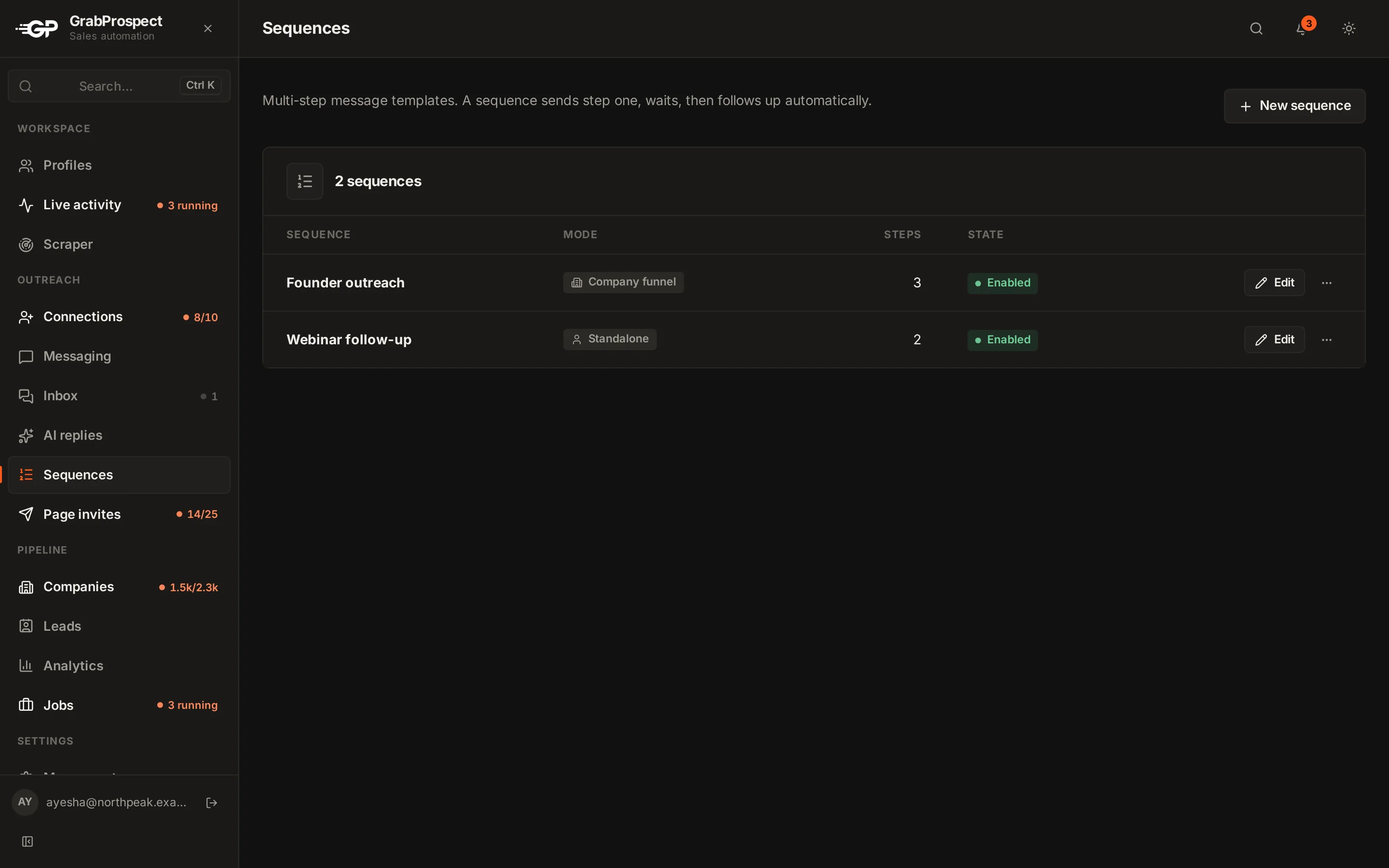
Create a sequence of a first message and follow-ups, choose who receives it in Messaging, and let follow-ups stop automatically when people reply.
Updated
Quick answer
In Sequences, create a sequence: step 1 is sent immediately, later steps wait between a minimum and maximum number of days, and each step can have several versions. Then in Messaging, choose the sending account, who to message, and the sequence. Follow-ups go out when their wait has passed, and anyone who replies is stopped automatically.
Create a sequence
- Open Sequences and create a new sequence.
- Step 1 is sent immediately when someone enters the sequence.
- Add follow-up steps. For each, set Delay after previous (min and max days); the exact wait is picked between them.
- Add variants to a step to vary the wording across people.
- Options: Stop if the lead has replied (on by default) and Skip if the lead already follows the company page.
- Turn the sequence on. Turning it off pauses new sends without discarding it.
Send it
- Open Messaging.
- Sending account: the LinkedIn profile that sends.
- Who to message: your connections, a filtered search, a custom list, or workspace leads.
- Choose the Sequence.
- Run now or set it to Auto.
Follow-ups has its own schedule: it sends the next step to people whose wait has passed, and stops anyone who replied.
Writing tips
Keep messages to three to five lines, ask one question, and personalise. See follow-up templates.
Frequently asked questions
Do follow-ups stop when someone replies?
Yes. Replies stop that person's sequence automatically.
How many messages can an account send a day?
On Standard, 40 a day per LinkedIn account, with follow-ups counted separately. Your admin can set other limits.
Can I edit a sequence while it's running?
Yes. Changes apply to the steps people haven't received yet.
Still stuck? Ask us and we’ll help.
Contact us